
使用 Readify 阅读和收听同人小说
An ao3 reader workflow is not just about opening a story and scrolling until your eyes get tired. For many fanfiction readers, it means saving time, staying comfortable during long chapters, and switching between visual reading and audio when life gets busy. Readify can support that routine with an AI Reader, natural sounding TTS, and tools that help you listen to text when screen reading is not ideal.
This guide explains how to think about a listening setup without treating fanfiction like a disposable content feed. A strong reading workflow respects authors, avoids unauthorized redistribution, and focuses on personal access. If you use Readify with saved text or documents, process only content you own, have permission to use, hold an appropriate license for, or that is in the public domain. Do not bypass a platform's terms, paywalls, privacy settings, or author restrictions.
Why People Search for Better Fanfiction Reading Tools
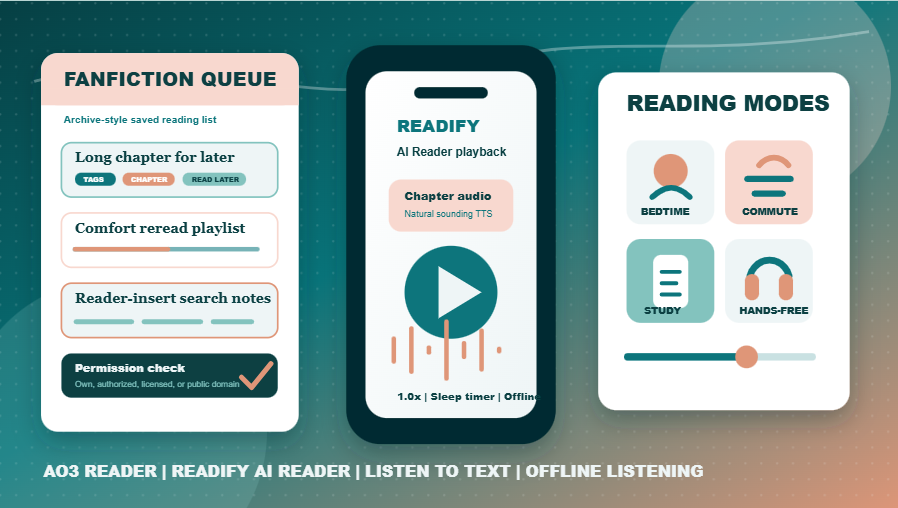
People search for AO3 reader solutions because archive-style reading can be wonderful and exhausting at the same time. Fanfiction often comes in long chapters, multi-work series, unfamiliar tags, author notes, and dense emotional scenes. A browser tab is fine for quick reading, but it may not be enough when you want to continue during a commute, while doing chores, before sleep, or while resting your eyes.
A fanfiction reading tool can mean several things. Some users want a cleaner reading layout. Some want bookmarks and queues. Some want an AI audiobook generator that turns readable text into spoken audio for private listening. Others need accessible reading because visual fatigue, dyslexia, attention shifts, or mobility constraints make ordinary scrolling difficult.
Readify fits the second group especially well: readers who already have text they are allowed to process and want a more flexible way to experience it. Instead of replacing archive discovery or community interaction, Readify helps after you have chosen what to read. You can explore more Readify reading ideas at Readify reading guides.
Common Fanfiction Reading Scenarios
A good reading workflow starts with context. A 2,000-word one-shot may work perfectly in a browser. A 90,000-word slow-burn story may need a queue, pause points, and audio playback. A reread of a favorite chapter may feel better as audio, while a complicated scene with tags and notes may deserve careful visual attention.
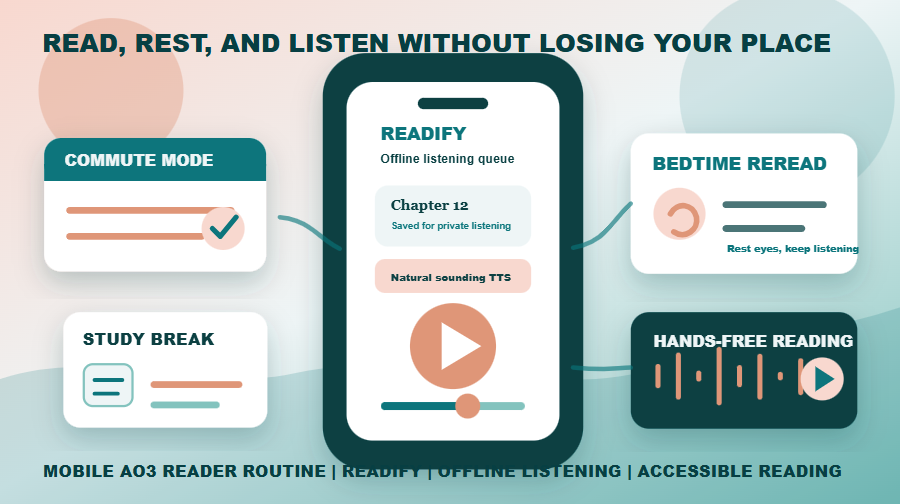
Readify can help readers move between those modes. During a study break, you may want ten minutes of hands-free reading. On a train, offline listening can keep a saved chapter available when the signal drops. At night, natural sounding TTS can reduce the strain of staring at a bright screen. For longer works, AI audiobook narration can make a private reading queue feel more like a personal listening library.
This is also where keyword variants become meaningful rather than forced. A search such as reader AO3 usually points to the same intent as AO3 reader: someone wants a better way to consume fanfiction. More specific searches, such as Alastor reader AO3, often reflect a character-centered reader-insert interest. Readify does not judge the trope; it simply helps readers handle long text in a more comfortable format.
How Readify Supports Fanfiction Listening
Readify is useful when readers want to turn permitted text into audio. Its AI Reader and natural sounding TTS features can make long chapters easier to follow, especially when paragraphs are clean and chapter headings are preserved. For another market reference point, compare the concept with TTSReader text to speech reader, while keeping Readify positioned around flexible reading workflows.
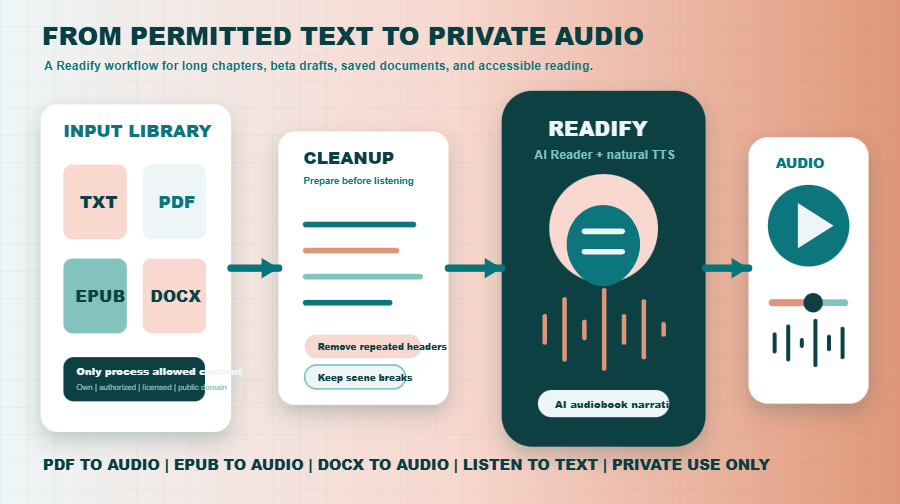
Readers may also work with document formats. If you have an authorized file, Readify can support PDF to audio, EPUB to audio, and DOCX to audio workflows. That matters when fan writers share personal drafts, beta-reading documents, public-domain transformations, or files you created yourself. The core benefit is simple: you can listen to text without manually reading every line on a screen.
For the best result, clean the file before listening. Remove duplicate navigation text, preserve author notes if you want them read, and keep scene breaks visible. A polished input helps AI audiobook narration sound smoother and makes the experience feel less mechanical.
Building a Better Fanfiction Listening Routine
The most reliable reading routine has three layers: discovery, preparation, and listening. Discovery happens where readers find tags, authors, and works. Preparation happens when you decide what is worth saving or converting. Listening happens in Readify when you want a more flexible reading session.
Start by separating quick reads from long reads. Quick reads can stay in the browser. Long reads benefit from a queue. Next, decide whether the chapter is better as text, audio, or both. Dense emotional chapters may need visual reading. Familiar comfort chapters may be perfect for hands-free reading. If you like comparing tools, Voice Dream Reader app is another reader-focused option in the broader listening space.
Then create a naming system. Use title, author, chapter number, and status where appropriate. A clear file name prevents confusion later and makes offline listening easier to manage. Readify works best when your personal library is organized enough that you can return to a chapter without hunting through old downloads.
Finally, match voice and speed to the story. Comedy may need a faster pace. Angst may need more breathing room. Action scenes may sound clearer if the speed is slightly slower than your usual podcast setting. The goal is not to turn every fanfic into a perfect commercial audiobook; it is to make your private reading time more usable.
Search Intent Boundaries: Character Reader Queries
Some keyword variants are less about software and more about fandom taste. For example, Kai Parker read aloud AO3 may come from readers looking for character-specific stories they can hear instead of read. Danny Johnson read aloud AO3 has the same pattern: a character or fandom query plus an audio intent. These are weakly related to Readify, so they should appear in context, not as stuffed phrases.
The honest connection is this: Readify does not supply fanfiction, endorse a particular ship, or replace fandom archives. It helps with reading and listening once you have lawful access to text. That distinction protects authors, readers, and the product. It also keeps the article useful instead of turning it into a list of unrelated character searches.
For teams evaluating the category, Capti Voice reading support shows how accessibility-centered reading tools describe listening support. Readify can speak to a similar need while focusing on personal reading convenience, AI Reader workflows, and document-to-audio flexibility.
Practical Tips for Listening to Fanfiction
First, respect the source. Fan writers share work under community norms, archive rules, and personal boundaries. Use Readify only for private reading of content you are allowed to process. Do not upload, sell, redistribute, or publicly repost audio made from someone else's writing unless you have explicit permission and the relevant rights.
Second, test a short section before converting a long file. Listen for repeated headers, strange pronunciation, scene-break confusion, and tag clutter. If the first few minutes are messy, fix the text before creating a longer session. This small habit makes a private listening routine feel much more polished.
Third, use audio for the right moments. Some readers love listening while cleaning, stretching, commuting, or winding down. Others use it as an accessibility tool. Readify's listen to text workflow supports both casual and practical use cases. For another competitor reference, Panopreter text to speech software sits in the desktop TTS category, while Readify can keep the article's focus on modern reading flexibility.
Fourth, keep listening personal and reversible. If a file sounds cluttered, return to the text version and edit only your private copy or your own draft. If a voice does not match the mood, change speed before changing the whole workflow. Small adjustments often matter more than a complicated setup. Readify is strongest when it becomes part of a calm routine: choose the chapter, check permissions, prepare the text, listen privately, and return to visual reading whenever details need closer attention. That pause keeps the experience intentional, not automatic.
FAQ
What is an ao3 reader?
An ao3 reader is a reading workflow or tool setup that helps someone read fanfiction more comfortably. In a Readify context, it means using AI Reader, natural sounding TTS, and audio features to continue reading permitted text in a more flexible way.
Can Readify read AO3 stories aloud?
Readify can help you listen to text that you are allowed to process, such as your own writing, authorized files, appropriately licensed material, or public-domain content. It should not be used to bypass archive terms, author restrictions, or copyright limits.
Is AO3 reader the same as reader AO3?
AO3 reader and reader AO3 usually reflect the same search intent: a reader wants a better way to enjoy fanfiction. The phrase order changes, but the need is typically cleaner reading, audio playback, or easier library management.
Can I use Readify for PDF, EPUB, or DOCX fanfiction files?
Yes, when you have the right to process the file. Readify can support PDF to audio, EPUB to audio, and DOCX to audio workflows, making it useful for personal drafts, authorized reading copies, and other permitted documents.
What about character-reader searches?
Alastor reader AO3 is a character-and-reader search phrase, not a product feature. The Readify connection is the listening workflow: if you lawfully have text you want to read privately, Readify can help convert that reading session into audio.
Does Readify replace archive browsing?
No. Readify is not a fandom archive and does not replace discovery, comments, tags, or author pages. It is better described as a reading companion for personal text-to-audio use. Start with Readify AI Reader when you want a flexible way to read and listen.
Conclusion: A Smarter Fanfiction Listening Workflow
The best reading setup respects fandom culture while making reading easier. Browser reading is still useful, but audio adds freedom: you can rest your eyes, continue during daily routines, and turn long chapters into manageable sessions. Readify brings that value through AI Reader, natural sounding TTS, AI audiobook generator support, AI audiobook narration, and offline listening.
If your goal is private, lawful, comfortable fanfiction reading, Readify gives you a practical next step. Build a clean queue, choose text or audio depending on the moment, and keep every workflow grounded in permission. For more product context, visit Readify text to audio tools or browse the Readify blog.
