All Topics

Listen to Research Papers and Scholarly Articles

Turn dense research papers, scholarly articles, scientific articles, and journal PDFs into clear, natural audio. Read a PDF aloud, follow synchronized text, and return to the methods, evidence, or conclusion when you need a closer look.

iOS App
Listen on iPhone and iPad
Scan to download app
Android App
Listen on any Android device
Scan to download app

Find Research Papers and Scholarly Articles to Read Aloud

Search established academic databases and open-access collections, confirm that you can use the article, then bring an available PDF into Readify for a listen-and-follow study session.


Search Broadly with Google Scholar
Use Google Scholar to locate research papers and scholarly articles across disciplines. Check the publisher, library, repository, or author copy for an accessible PDF before adding the article to your reading workflow.
Explore Biomedical Research in PubMed
Find biomedical and life-science citations, abstracts, and links to full text when available. PubMed is a focused starting point for scientific articles and journal articles in health, medicine, biology, and related research fields.
Find Open-Access Journal Articles with DOAJ
Search the Directory of Open Access Journals for openly available journal articles from around the world. Review the article page and license, download an available PDF, and read the PDF aloud in Readify.
Compare Related Papers with Semantic Scholar
Use Semantic Scholar to discover related research articles, follow citations, and compare work around a topic. Listening can help you screen promising papers before returning to the most relevant sections for close reading.
Follow Scientific Preprints on arXiv
Browse open-access preprints in physics, mathematics, computer science, statistics, economics, and other fields. Because arXiv does not peer-review submissions, evaluate each scientific paper in its proper publication context.
Discover Open Research Articles with CORE
Search open-access research papers collected from repositories and journals. When a lawful full-text PDF is available, bring it into Readify and listen while keeping the original page ready for figures and citations.

From Research Paper PDF to Audio in Three Steps

Keep the original scholarly article and its structure, then add a listening layer that makes long academic reading easier to start, continue, and revisit.


Upload the Research Paper
Step 1
Upload the Research Paper
Import a PDF, Word document, supported web article, or clear scanned pages you are allowed to use. Start with one research paper or add several articles for a literature-review session.
Choose a Voice and Listening Speed
Step 2
Choose a Voice and Listening Speed
Select a natural voice and set a pace that matches the material. Move faster through familiar background sections, then slow down for methods, results, definitions, and technical arguments.
Listen, Follow, and Revisit
Step 3
Listen, Follow, and Revisit
Read the PDF aloud while synchronized highlighting keeps your place. Pause at a figure, replay a difficult paragraph, and return to the abstract, evidence, or conclusion when comparing research articles.

Why Listen to Research Papers?

Audio does not replace critical reading, source evaluation, or careful inspection of data. It gives you another way to enter dense material and stay connected to a demanding reading list.
Make Dense Articles Easier to Start
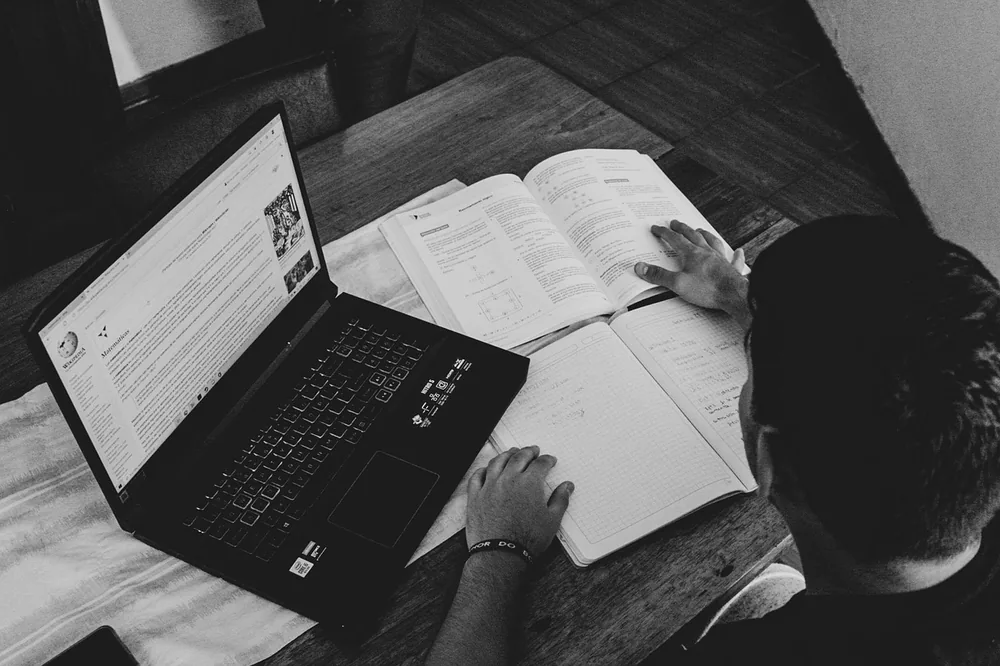
A long research paper can feel more approachable when narration supplies a steady pace. Listen to the abstract and introduction first, build context, and decide which sections deserve close attention.
Reduce Screen Fatigue During Long Reading Lists
Switch from visual reading to listening when your eyes need a break. Keep the scholarly article nearby and return to the page whenever a table, formula, citation, or figure needs visual inspection.
Compare More Papers During a Literature Review
Listen to abstracts, introductions, and discussions across several journal articles. Audio can help you identify recurring questions and competing claims before you annotate and cite the strongest sources.
Continue Reading Beyond the Desk
Use listening time during a walk, commute, or routine task to maintain momentum. Return to the text later for precise quotations, statistics, references, and critical analysis.

A Listening Experience Built for Scholarly Articles

Research papers are not ordinary audiobooks. Readify keeps the spoken article connected to its original text so you can move between listening and close analysis.


Handle Structured and Multi-Column PDFs
Bring in research PDFs with headings, sections, and multi-column layouts. Clear source files produce the best reading order; scanned documents may depend on OCR quality.
Follow Synchronized Text Highlighting
See the current sentence as you hear it. Highlighting helps you stay oriented inside long scholarly articles and quickly return to a term, claim, or paragraph that needs closer reading.
Pause for Figures, Tables, and Citations
Stop narration when the argument depends on a visual or source reference. Inspect the figure or citation on the original page, then resume listening without losing your place.
Replay Key Sections at Your Own Pace
Repeat a complex method, slow down for an unfamiliar concept, or move faster through background you already know. Resume later and revisit the passages that matter to your research question.

Frequently Asked Questions

Can Readify read research paper PDFs aloud?

Yes. Import a supported research paper PDF and choose a natural voice and speed. Readify can read the PDF aloud while synchronized highlighting helps you follow the current passage.

Can I listen to scholarly articles and journal articles?

Yes. If you have lawful access to a supported file or article, you can bring it into Readify and create a personal listening experience. Keep the original page available for figures, tables, formulas, and references.

Does Readify work with multi-column scientific papers?

Readify is designed to process structured documents, including many multi-column PDFs. Results depend on the source file: clear selectable text usually works better than a low-quality scan or an unusual layout.

Where can I find scholarly articles?

Google Scholar and Semantic Scholar are broad discovery tools. PubMed focuses on biomedical literature, DOAJ indexes open-access journals and articles, arXiv hosts preprints in several fields, and CORE aggregates open-access research from repositories and journals.

Can listening replace close reading of a scientific paper?

No. Listening is useful for orientation, review, and maintaining momentum, but research still requires critical reading. Return to the text to examine methods, data, figures, limitations, citations, and exact wording.

What parts of a research paper should I listen to first?

A practical first pass is the abstract, introduction, results overview, and discussion. Then return to the methods, tables, figures, and references that are important to your research question.

Can I upload copyrighted research articles?

Use only content you are authorized to access and process. Readify is a reading tool, not a source of research papers, and it does not grant permission to copy or redistribute publisher content.