All Topics

Listen to Industry News

Turn permitted industry news, market analysis, and company updates into a focused listening queue. Keep the source visible so dates, figures, quotations, and links remain easy to verify.

iOS App
Listen on iPhone and iPad
Scan to download app
Android App
Listen on any Android device
Scan to download app

Turn Industry News into a Focused Listening Briefing

Build a focused listening routine around the developments that affect your role, market, competitors, and company instead of trying to read every update at once.


Follow Daily Industry News
Use Chrome text to speech to turn relevant industry news and business articles into a concise morning or afternoon briefing. Keep the original article available for names, numbers, links, and exact wording.
Track Market News and Industry Trends
Read aloud in Chrome as you review market news, regulatory developments, technology shifts, and industry trends. Pause when an update could affect pricing, risk, customers, or strategic planning.
Review Competitor and Company News
Collect permitted company news, product announcements, interviews, and competitor coverage in one listening queue. Compare the message with the visible source before sharing conclusions.
Prepare for Meetings with Context
Listen to recent coverage before a client call, planning session, or leadership meeting. Use the audio pass to find relevant stories, then inspect dates, sources, and data on the page.

Listen to Industry News in Three Steps

Create a repeatable article-listening workflow without separating an industry update from its original source.


Open a Relevant Industry Article
Step 1
Open a Relevant Industry Article
Open permitted webpage text, a supported document, or visible text connected to your work. A read aloud extension for Chrome should make the article easy to start without hiding its publisher, date, or author.
Choose a Voice and Reading Speed
Step 2
Choose a Voice and Reading Speed
Set the Chrome text-to-speech voice and pace for the article. Move faster through general updates, slow down for technical or regulatory language, and replay details that may influence a decision.
Listen, Verify, and Continue
Step 3
Listen, Verify, and Continue
Follow synchronized text while the article is read aloud. Pause to verify quotes, figures, dates, and links, then continue from the saved position during your next available work block.

Why Listen to Business and Industry News?

Chrome text to speech makes routine monitoring easier to begin and repeat, while visible source text keeps important evidence within reach.

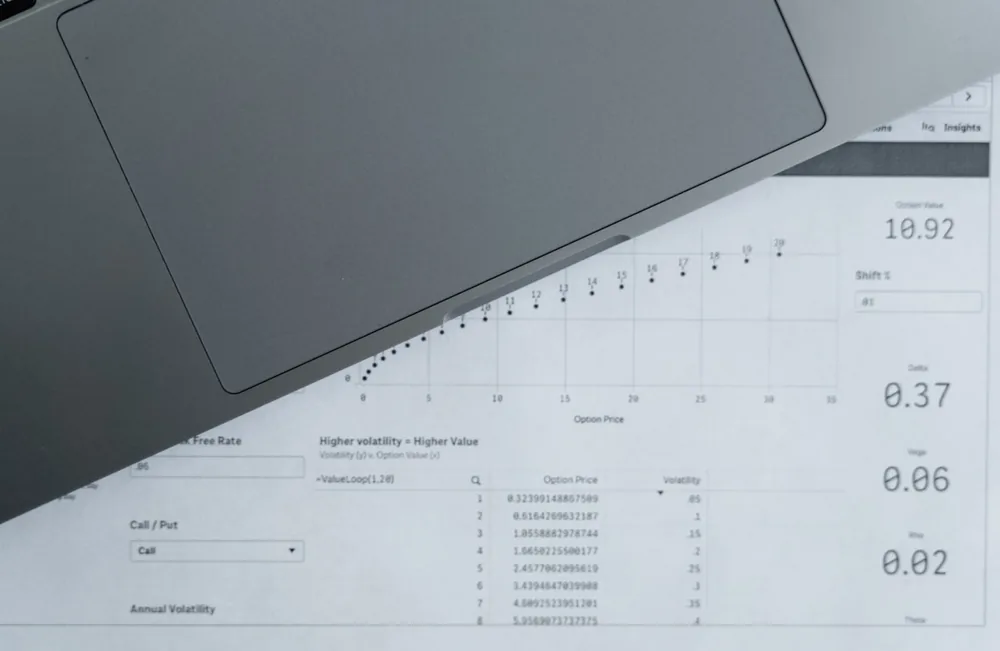
Use Time Between Focused Tasks
Use a read aloud extension for Chrome during routine administrative work, then continue listening on a supported device during a commute or walk when safe. Reserve focused screen time for analysis and decisions.
Recognize Trends Across Updates
Repeated listening makes it easier to notice recurring themes across sources. Keep separate facts, commentary, forecasts, and promotional claims when building an industry view.
Reduce News-Tab Overload
Move selected articles into a deliberate queue instead of keeping many browser tabs open. A smaller listening list supports better attention and clearer priorities.
Share Better-Informed Context
Arrive at team conversations with the article's main claim and supporting details in mind. Return to the source before quoting, forwarding, or turning an update into a recommendation.

A Listening Workflow Built for Current Information

Readify combines Chrome text to speech, visible source text, playback control, and saved progress for a more manageable professional news routine.
Read Aloud in Chrome with Visible Text
Listen while the active passage remains visible. This Chrome text-to-speech workflow supports quick checking of unfamiliar names, technical terms, statistics, and statements that need closer review.
Keep Different News Sources Together
Organize supported articles and documents by market, client, competitor, or project. One listening library makes related updates easier to compare over time.
Adjust Speed to the Article
Move quickly through familiar background and slow down for policy, finance, science, or specialist terminology. Replay a passage without restarting the full story.
Resume the Briefing Later
Stop after a complete section and continue from the same place later. Saved progress helps long analysis pieces fit around meetings and focused work.

Frequently Asked Questions About Listening to Industry News

How can I use a read aloud extension for Chrome for industry news?

Open permitted industry news or business article content in a supported workflow, choose a voice and speed, and listen while following the visible source text. Verify dates, figures, quotes, and links before using the information professionally.

How do I read aloud in Chrome?

Use Readify's supported Chrome reading workflow to add permitted webpage text, select a voice and playback speed, and start listening while the article remains available for visual checking.

What should be included in a daily industry briefing?

Prioritize a small number of updates connected to your role: major industry news, market changes, regulation, customer behavior, competitor activity, and important company news.

Is there a Google extension for text to speech?

Chrome supports text-to-speech extensions that can read webpage content aloud. Readify provides a supported Chrome listening workflow with visible text and playback controls for permitted articles and documents.

Can I listen to paywalled news articles?

Only process content when your access, subscription, copyright permissions, and workplace policies allow it. Do not bypass publisher restrictions or redistribute protected material.

How fast should I listen to business news?

Use a comfortable pace for general context and slow down for unfamiliar names, numbers, regulation, technical concepts, and statements that may influence a decision.

How do I avoid information overload?

Choose a clear monitoring question, limit the number of sources, organize articles by topic, and stop when new updates no longer change your understanding or next action.