All Topics

Hear Writing Errors Before You Mark Them

Use Readify to listen to a permitted draft while following the visible text. When a missing word, repeated phrase, punctuation issue, or awkward sentence sounds wrong, pause and apply the appropriate proofreading marks before replaying the revision.

iOS App
Listen on iPhone and iPad
Scan to download app
Android App
Listen on any Android device
Scan to download app

Use Proofreading Marks Where Listening Reveals a Problem

A read-aloud pass does not replace visual editing. It gives professionals another way to notice language that deserves a closer look and a precise correction.


Proofread Reports and Proposals
Listen for missing words, repeated phrases, inconsistent terminology, and sentences that are difficult to follow. Pause at each problem, inspect the source, and add proofreading marks for the required revision.
Review Emails and Client Messages
Read important messages aloud before sending them. Hearing the complete sentence can expose abrupt transitions, duplicated information, or wording that sounds less clear than it looked on screen.
Check Articles and Website Copy
Use audio to review headings, introductions, calls to action, and body copy in sequence. Combine what you hear with editing marks for capitalization, punctuation, spacing, and paragraph changes.
Inspect Long Drafts Section by Section
Divide a long document into complete sections and listen to one at a time. This makes proofreading marks easier to connect to the exact sentence without treating every page as one continuous task.

From Draft to Proofread Copy in Three Passes

Listen first, mark precisely, and replay the revision instead of trying to hear and correct every issue at the same moment.

Add a Draft You Can Process
Step 1
Add a Draft You Can Process
Upload a supported document or add permitted text. Confirm that the version is current and that workplace, licensing, privacy, and confidentiality rules allow the content to be processed.
Listen While Following the Text
Step 2
Listen While Following the Text
Choose a clear voice and a comfortable pace. Follow the active passage, pause when the sentence sounds incomplete or confusing, and identify the exact location before marking a correction.
Mark, Revise, and Replay
Step 3
Mark, Revise, and Replay
Apply the relevant proofreading symbols, revise the source, and listen again. Replay the whole sentence rather than only the changed word so grammar, rhythm, and meaning can be checked in context.

Why Listen Before Finalizing Proofreading Marks?

Visual proofreading finds many surface errors. Listening adds a separate pass for omissions, repetition, sentence rhythm, and meaning that may be missed during silent rereading.

Hear Missing and Repeated Words
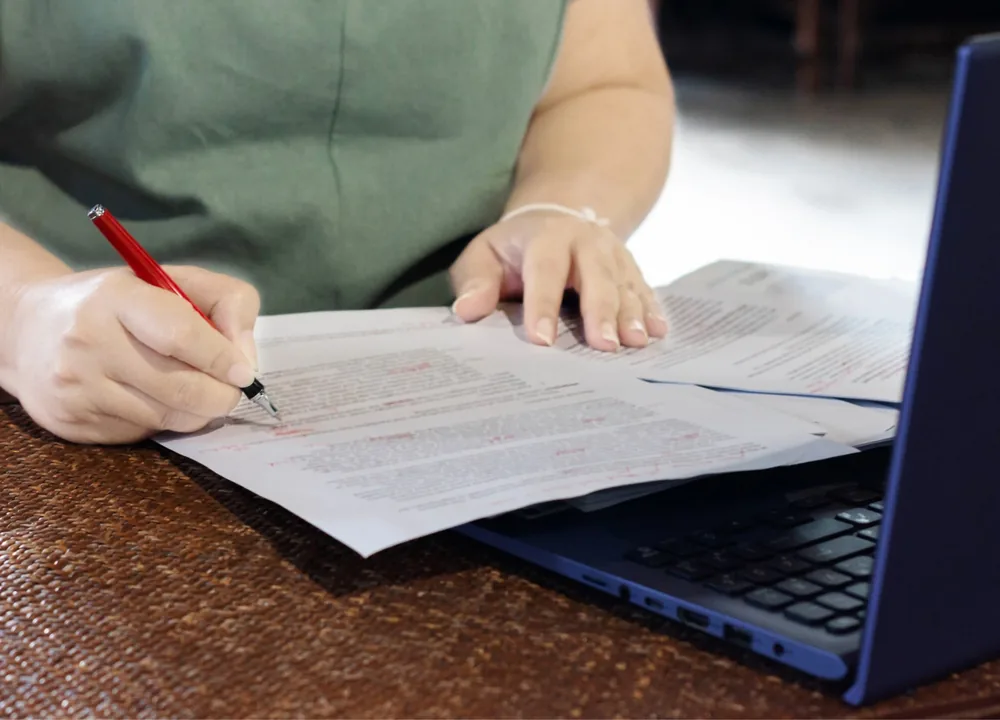
Writers often read what they intended to write. A spoken version can make an omitted article, doubled word, or repeated phrase more noticeable before the final correction is accepted.
Notice Awkward Rhythm and Punctuation
Audio can reveal sentences that run too long, stop too abruptly, or contain punctuation that does not match the intended meaning. Inspect the text before selecting editing symbols.
Create Distance from Familiar Writing
Changing from silent reading to listening can make a familiar draft feel less predictable. That distance helps the proofreader evaluate what the text actually says instead of relying on memory.
Separate Detection from Correction
Use the listening pass to locate suspicious wording, then use the visual pass to diagnose it. This keeps proofreading marks connected to evidence instead of changing sentences only because they sound unfamiliar.

A Read-Aloud Layer for Proofreading at Work

Readify supports the listening part of a proofreading workflow with visible text, synchronized playback, speed control, replay, and progress continuity.
Visible Text for Precise Marking
Keep the spoken passage on screen so every issue can be connected to the correct word or sentence. Then apply proofreading marks in the source document or preferred editing system.
Flexible Speed for Different Passes
Use a natural pace for overall flow and a slower pace for names, numbers, punctuation, or technical language. Different speeds help each proofreading pass answer a specific question.
Replay the Complete Context
Repeat a difficult sentence or paragraph after editing it. Hearing the surrounding language helps confirm that a correction improves clarity without creating a new inconsistency.
Resume a Long Review Later
Stop after a complete section and continue from the saved position. A staged workflow helps lengthy documents remain manageable while proofreaders marks stay organized by section or version.

Frequently Asked Questions About Proofreading Marks

What is the proofreading definition?

Proofreading is the final review of written material for errors and inconsistencies in spelling, grammar, punctuation, formatting, and presentation. It normally follows substantive editing and should use the authoritative source document.

What are proofreading marks?

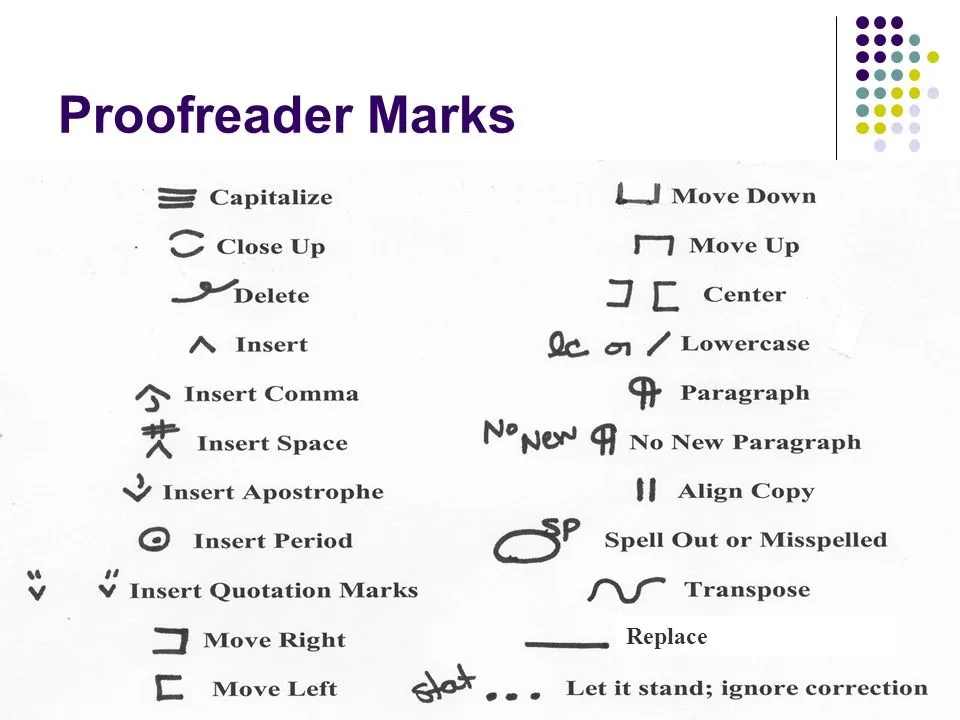
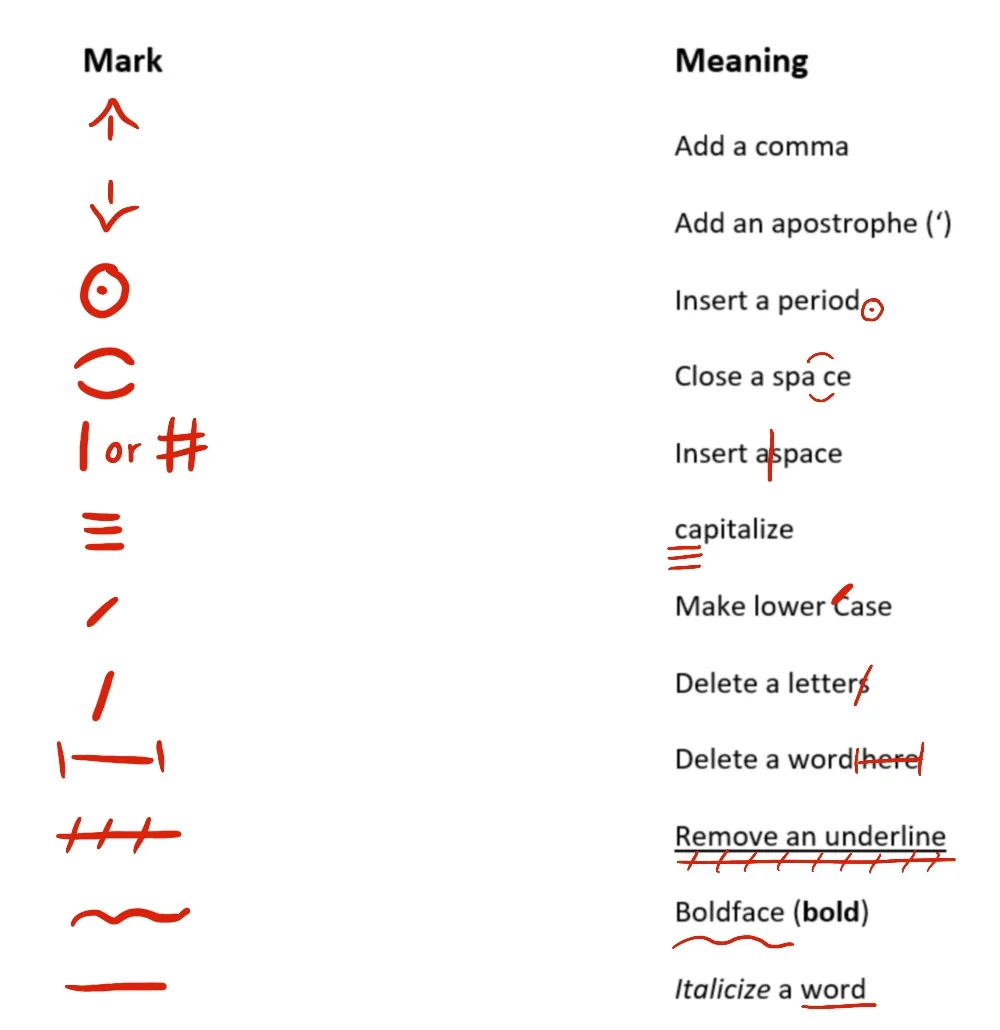
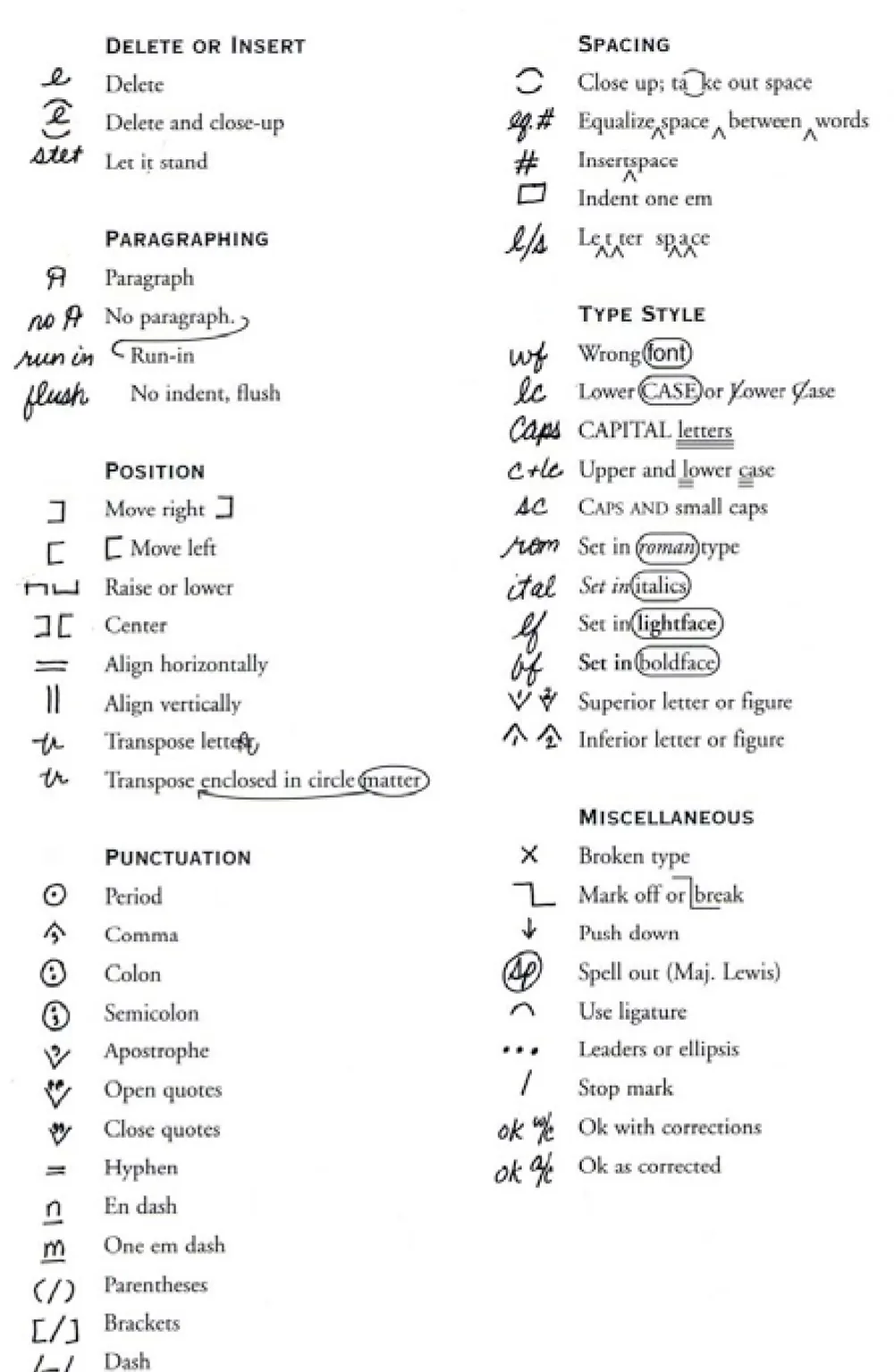
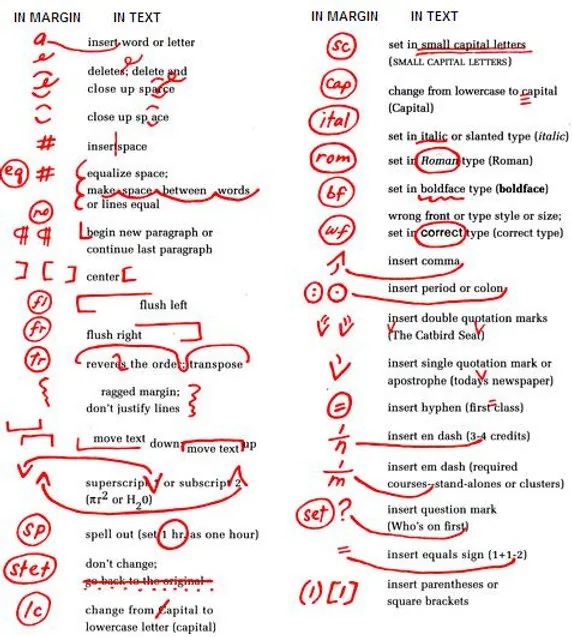
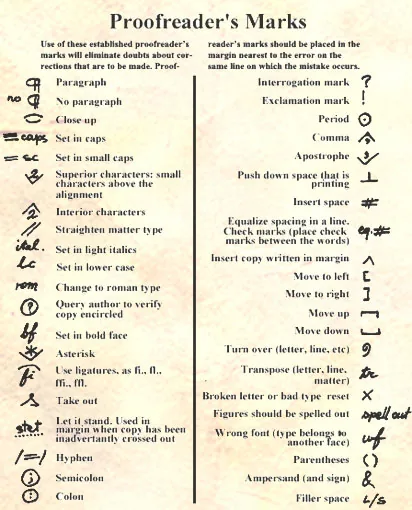
Proofreading marks are standardized symbols used to identify corrections such as deletion, insertion, transposition, capitalization, punctuation, spacing, paragraphing, and type-style changes. Conventions can vary, so teams should use an agreed reference.

Are proofreading symbols and editing symbols the same?

The terms often overlap. Proofreading symbols usually focus on final corrections, while editing marks may also indicate broader changes to wording, structure, or style. The exact distinction depends on the organization and workflow.

How does reading aloud help with proofreading?

Listening can make missing words, repetition, awkward rhythm, and confusing sentences easier to notice. The proofreader should still inspect the visible source and verify every correction rather than relying on audio alone.

Does Readify replace a grammar checker or professional proofreader?

No. Readify provides a listening layer for supported content. It does not replace grammar tools, editorial judgment, subject-matter review, accessibility checks, or a qualified proofreader when the document requires one.

Why do some people search for proofreaders marks?

Proofreaders marks is a common search variation for proofreader's marks. Both usually refer to the symbols editors use to communicate corrections, although the apostrophized form is grammatically clearer.

Can I use Readify with confidential workplace drafts?

Only process material when workplace policy, authorization, confidentiality rules, security requirements, and data-handling obligations allow it. Use approved systems for sensitive, client, legal, financial, or regulated documents.