
ADHD-Friendly Reading
Turn the reading in front of you into a session you can shape. Listen, follow highlighted text, adjust the pace, and return after a pause without losing the original words.

An ADHD Reading Tool for the Text Already on Your List
Long assignments, detailed reports, and saved articles do not all need the same reading approach. Add natural narration when listening, following the text, or switching between both feels useful.







Start an ADHD-Friendly Reading Session in Three Steps
Bring the source you need, choose a comfortable voice and pace, then use pause, replay, and highlighting to shape the session as you go.



Why Try Text to Speech for ADHD Reading?
Text to speech can add an adjustable audio track to visual reading. Some people with ADHD find that useful for structuring a session or returning to the current line; preferences and needs vary.



Flexible Reading Controls, Close to the Original Words
Readify combines natural narration, speed controls, synchronized highlighting, and support for common reading formats without turning the complete source into a summary.



Frequently Asked Questions
How might text to speech fit an ADHD reading routine?
Text to speech adds narration, adjustable speed, replay, and synchronized highlighting to written material. Some people with ADHD use those options to structure a reading session or follow the current sentence. Individual preferences vary.
Is Readify an ADHD diagnosis or treatment tool?
No. Readify is an assistive reading tool, not a screening, diagnostic, medical, educational, or treatment service. For assessment or individualized guidance, consult an appropriately qualified professional.
Do I need an ADHD diagnosis to use Readify?
No. Anyone can use Readify's text-to-speech voices, speed controls, replay, and highlighting when those options fit the way they want to read.
What files can the ADHD-friendly reader read aloud?
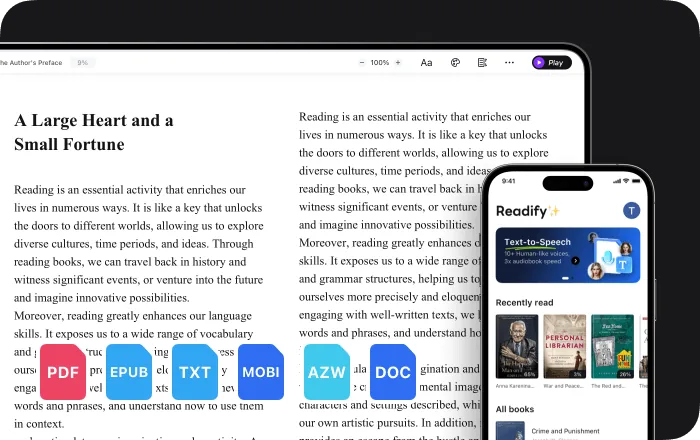
Readify supports EPUB, PDF, DOCX, AZW, MOBI, and TXT files. It can also read compatible web content through the Readify browser extension.
Can I follow the text while Readify reads aloud?
Yes. Synchronized highlighting follows the spoken sentence, so you can listen, read visually, or combine both approaches without losing the original wording.
Can I pause, replay, or change the reading speed?
Yes. Pause for a break, replay a sentence, and adjust the playback speed whenever the material or your preference changes.
Is Readify free to try?
Yes. Readify is free to start, so you can test ADHD-friendly reading with your own compatible file or readable webpage.