All Topics

Give Workplace Reading More Than One Way In

Turn reports, policies, training materials, and internal webpages into natural narration. Employees can listen, follow synchronized text, or move between both while the original source stays available.

iOS App
Listen on iPhone and iPad
Scan to download app
Android App
Listen on any Android device
Scan to download app

Add an Audio Option to Everyday Work Materials

Accessible work is broader than one tool, one format, or one employee. Readify gives compatible text an audio mode while teams keep the original document, visual details, and established accommodation process in place.


Listen Through Workplace Policies
Turn the continuous wording in handbooks and policy documents into narration. Look back for exact requirements, dates, links, and definitions.
Offer Training Materials in Audio and Text
Employees can hear written modules while keeping the same wording visible. Pause for diagrams, demonstrations, assessments, or interactive elements.
Hear Reports Before Reviewing the Details
Use narration for summaries, findings, and explanations, then return to the document for tables, figures, footnotes, and precise wording.
Read Internal Web Content Aloud
Add read-aloud controls to compatible intranet articles and knowledge pages through the browser extension while preserving their original context.
Listen Back to Drafts and Client Documents
Hear proposals, correspondence, and drafts in sequence before close editing. Keep confidential information inside the organization’s approved handling workflow.
Follow Long Instructions One Sentence at a Time
Use synchronized highlighting to connect spoken steps to the source. Replay a sentence and stop when software controls or visual examples need attention.
Support Hybrid and Remote Reading Preferences
Employees can choose a voice and pace that suits their current setting, whether they are at a desk, in a home office, or moving between workspaces.
Keep the Original Source Ready for Review
Audio does not replace charts, formatting, signatures, or visual context. Employees can return to the same source whenever those details matter.

Add Audio to a Work Reading Task in Three Steps

Use approved material, choose a comfortable narration setup, and let each employee decide how much to listen, follow, pause, or review visually.


Open an Approved File or Webpage
Step 1
Open an Approved File or Webpage
Use an EPUB, PDF, DOCX, AZW, MOBI, or TXT file, or open compatible workplace web content through the Readify browser extension.
Choose a Natural Voice and Pace
Step 2
Choose a Natural Voice and Pace
Select from more than 100 voices and adjust speed for the language, density, and purpose of the material.
Listen, Follow, Pause, and Look Back
Step 3
Listen, Follow, Pause, and Look Back
Use narration alone or follow synchronized text. Pause for discussion, replay a sentence, and inspect visual details in the original source.

A Practical Reading Option Inside a Broader Accessibility Plan

Readify can provide text-to-speech and synchronized highlighting for compatible content. It does not audit accessibility, remediate inaccessible files, determine accommodations, or certify legal compliance.


Offer Text in Another Perceivable Form
Employees can hear compatible written material while the original document remains available, expanding how continuous text can be accessed.
Respect Different Reading Preferences
Some employees may prefer audio, some visible text, and others both together. Readify keeps those modes within one reading session.
Keep the Current Sentence Connected
Synchronized highlighting marks the words being spoken, providing a visible reference when an employee chooses to read and listen together.
Let Employees Control the Reading Pace
Slow down complex instructions, move faster through familiar context, and replay specific passages without changing the source material.

Reading Controls for Accessible Workplace Content

Readify combines natural narration, adjustable speed, synchronized highlighting, and broad file support for compatible workplace reading.


100+ Natural Text-to-Speech Voices
Choose a realistic voice for reports, training materials, policies, correspondence, and other compatible documents.
Synchronized Text Highlighting
Connect each spoken phrase to its place in the source when employees want to read and listen at the same time.
Adjustable Speed, Pause, and Replay
Change narration speed between sections, stop whenever needed, and repeat a sentence without restarting the document.
Documents, eBooks, and Compatible Web Content
Use common file formats or add read-aloud controls to compatible webpages through the Readify browser extension.

Frequently Asked Questions

How can text to speech support workplace accessibility?

Text to speech provides an audio way to access compatible written material. Employees can listen, follow synchronized highlighting, or move between audio and text according to their preferences and the task.

Does Readify make a workplace ADA or WCAG compliant?

No. Readify does not conduct accessibility audits, remediate source files, certify WCAG conformance, determine legal obligations, or guarantee ADA compliance. Organizations should use qualified accessibility and legal guidance for those responsibilities.

Can Readify replace a reasonable accommodation process?

No. Workplace accommodations are individualized and may involve technology, accessible materials, policy changes, services, or other adjustments. Readify may be one reading option within a broader process.

Does Readify replace screen readers or accessible document design?

No. Readify is a text-to-speech reading tool, not a full screen reader or document remediation service. Source documents and workplace systems still need appropriate structure, labels, keyboard access, text alternatives, and other accessibility features.

Can employees use Readify with confidential work documents?

Organizations should review Readify against their own security, privacy, retention, procurement, and approved-tool requirements before using it with confidential, regulated, or personal information.

What workplace files can Readify read aloud?

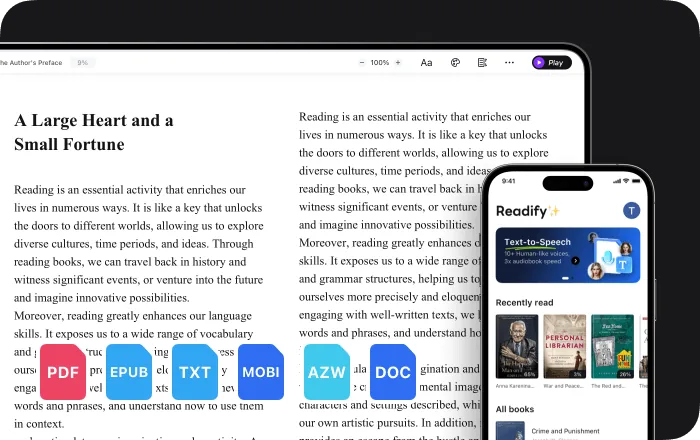
Readify supports EPUB, PDF, DOCX, AZW, MOBI, and TXT files, plus compatible web content through the browser extension.

Is Readify free to evaluate?

Yes. Readify is free to start, so teams and individual employees can evaluate it with suitable non-sensitive compatible content.