All Topics

Use Readify Anywhere with the Chrome Extension

Turn Chrome into a more flexible reading space. Use Readify to listen to supported webpages, PDFs, and long articles while keeping the original text, notes, and reading progress close at hand.

iOS App
Listen on iPhone and iPad
Scan to download app
Android App
Listen on any Android device
Scan to download app

Read Across the Browser

A text to speech chrome extension should fit the way people actually move through tabs, PDFs, research pages, and saved articles.
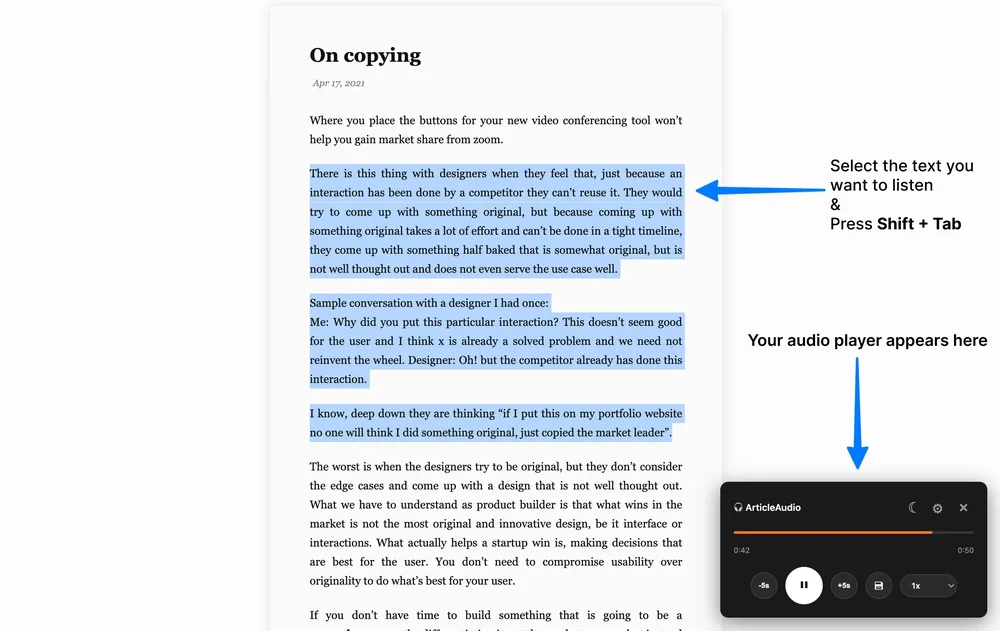
Listen to Webpages Without Leaving Chrome
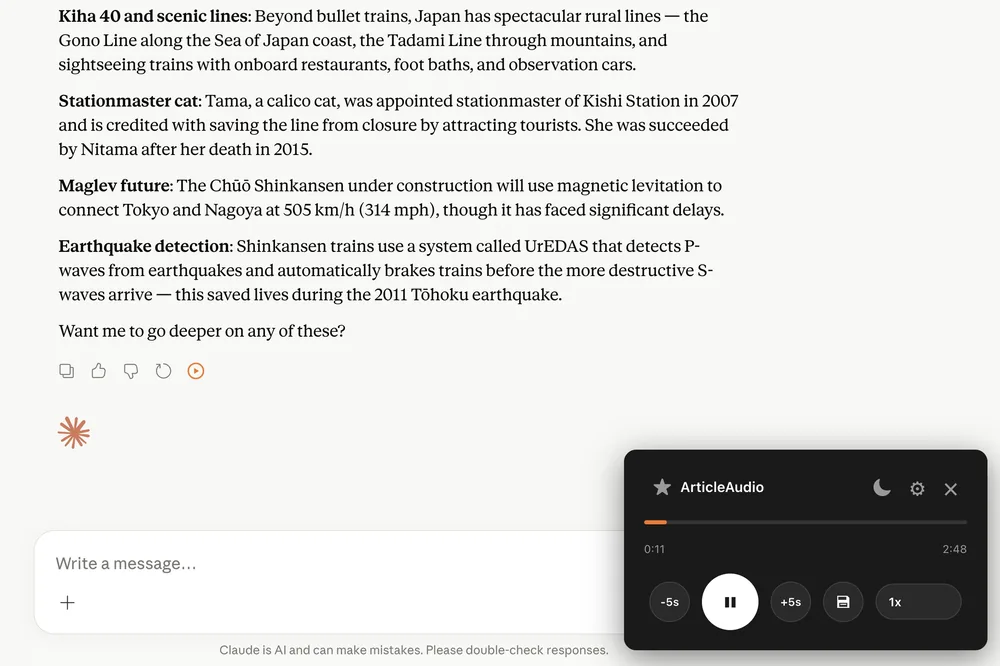
Use Readify as a text to speech chrome extension when an article is useful but too long to keep reading line by line on screen.
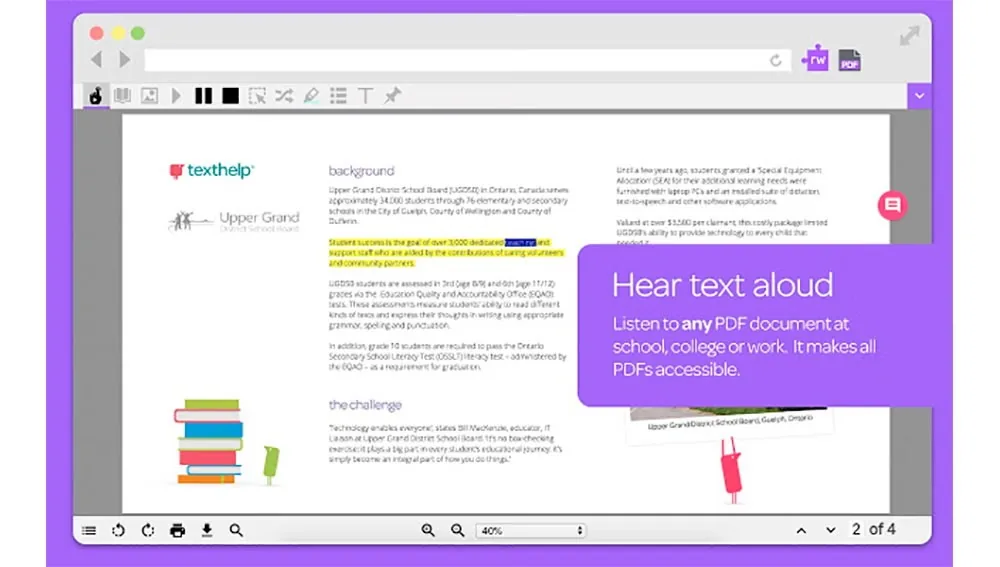
Keep PDFs in Your Reading Flow
Open compatible PDFs in the browser, listen with natural narration, and return to the original layout when citations, tables, or exact wording matter.
Turn Reading Sessions into Audio Time
Readify helps people looking for the best chrome extensions for reading articles turn long browser sessions into easier listening moments.

From Browser Page to Listening Session

Set up the extension once, then use Readify whenever a supported page, document, or PDF needs to be heard instead of only read.
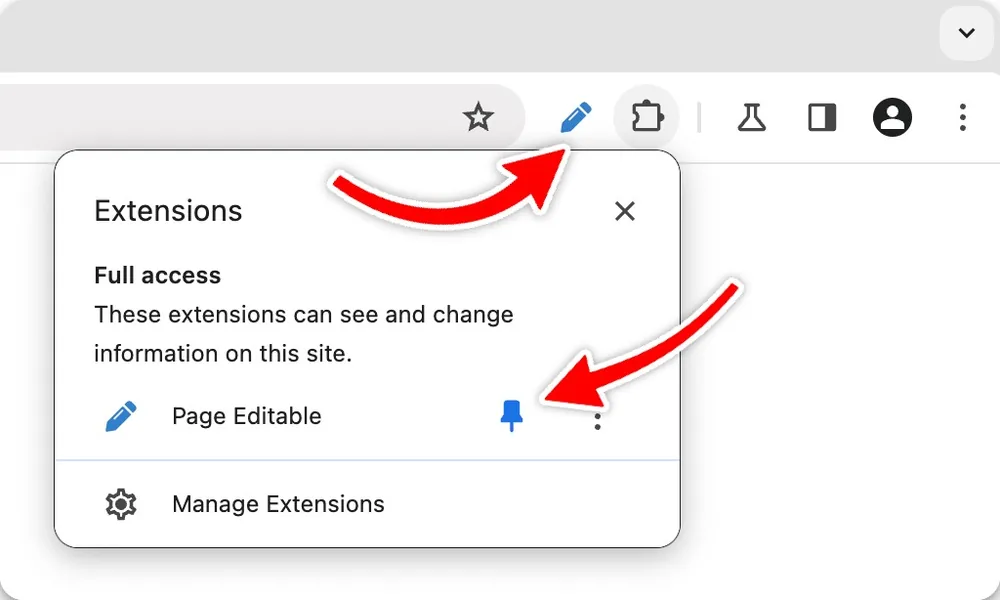
Add and Pin Readify
Step 1
Add and Pin Readify
Install the Readify text to speech extension, pin it to the Chrome toolbar, and keep it ready for pages you want to hear aloud.
Choose What to Hear
Step 2
Choose What to Hear
Select a webpage, article, or PDF text passage, then start playback from the browser instead of copying content into another tool.
Adjust Voice, Speed, and Context
Step 3
Adjust Voice, Speed, and Context
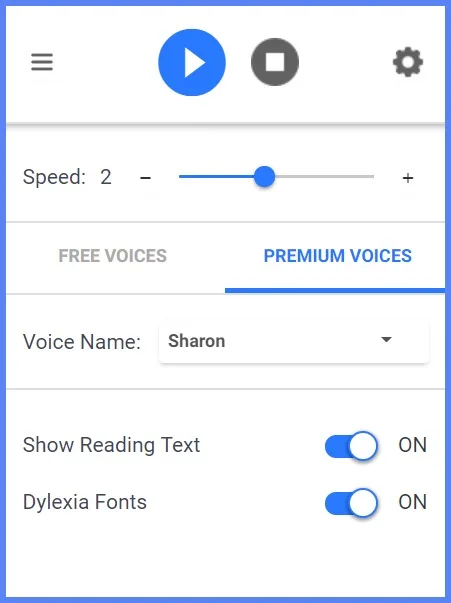
Change the voice, tune the speed, follow synchronized text, and pause without losing your place in the reading workflow.

Make Chrome Reading Easier to Manage

Readify combines audio playback with practical controls for attention, review, and browser organization.
Highlight What Deserves a Second Look
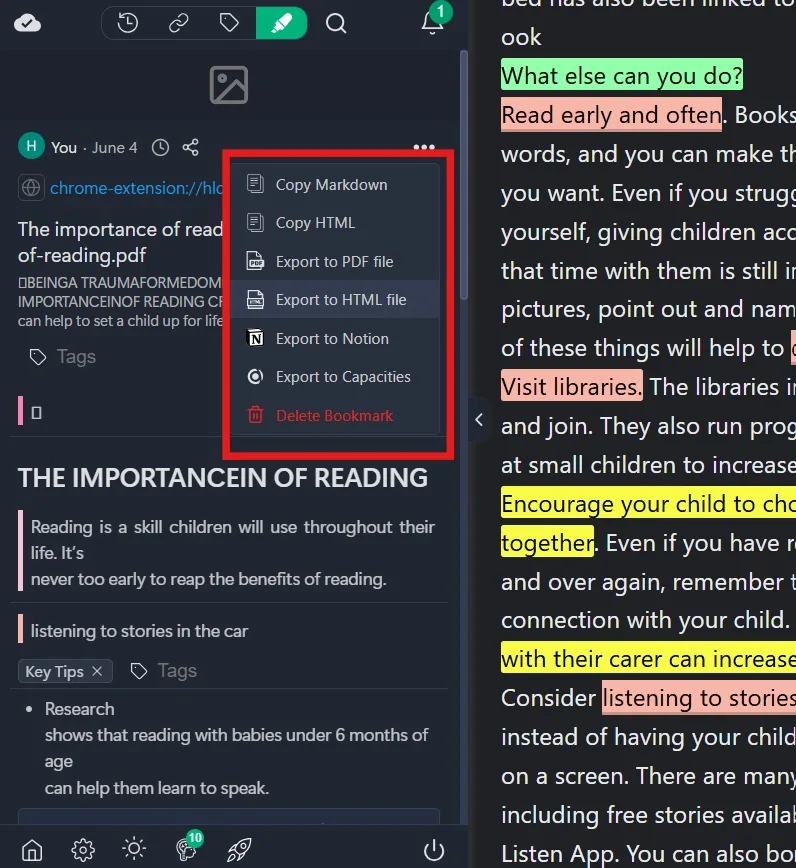
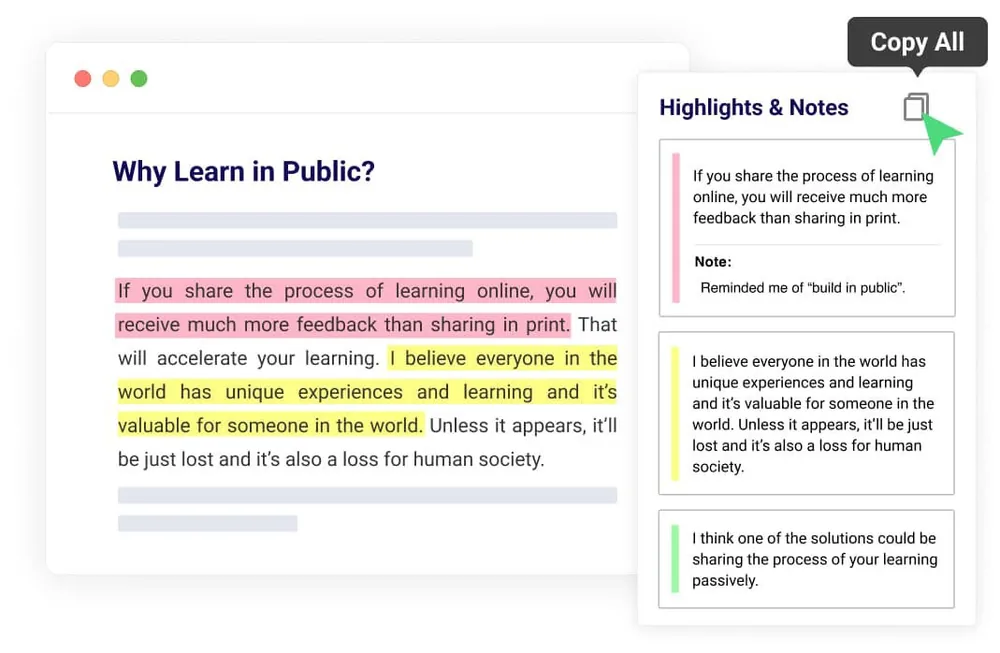
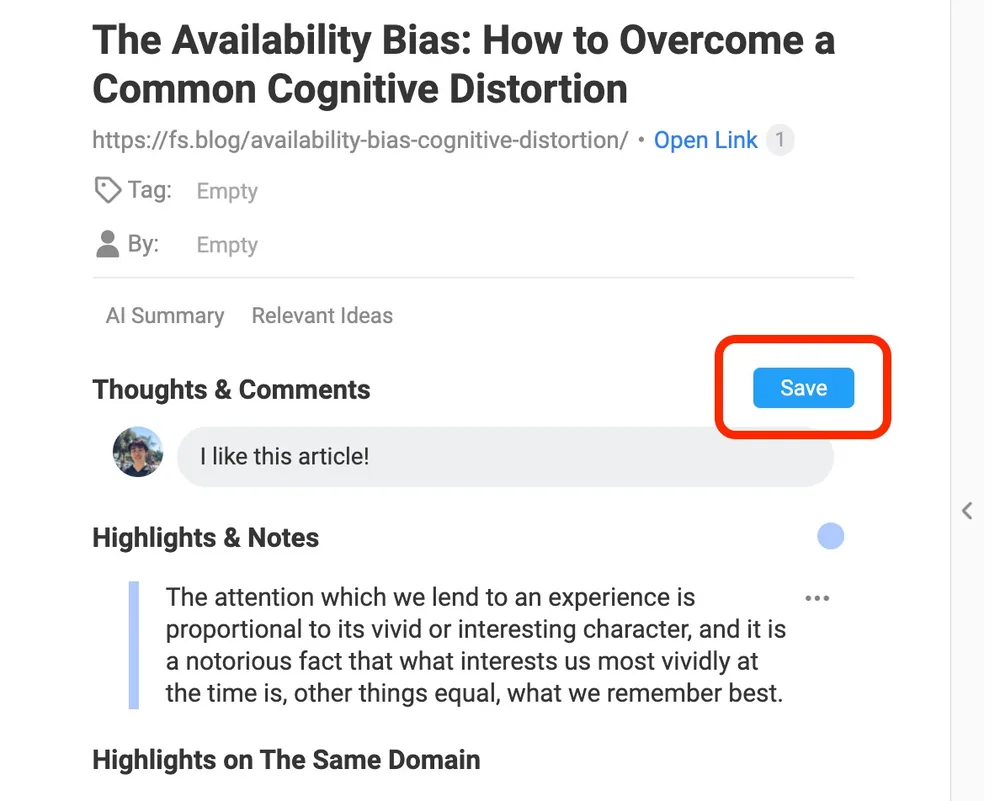
Use highlights and notes while listening so important passages do not disappear after the audio moves on.
Save Progress Across Long Documents
Long PDFs and research pages are easier to revisit when Readify keeps your place and lets you continue in a later session.
Review Notes Beside the Original Text
Keep visual context available for quotes, examples, definitions, and details that need more than audio alone.
Manage Extensions with Confidence
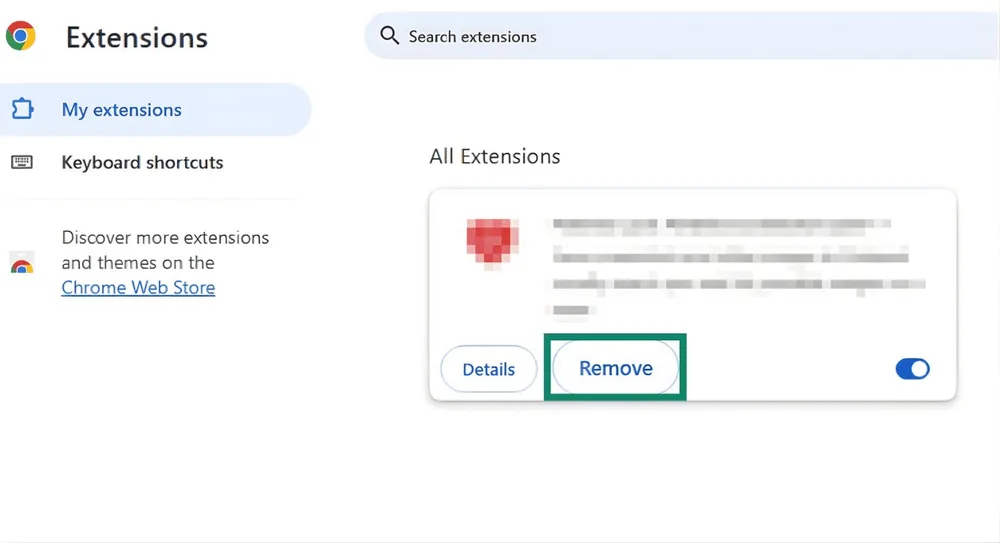
If you ever need to remove chrome extensions, Chrome's extension manager lets you review, disable, or remove tools you no longer use.

Questions About Using Readify in Chrome

Can I use Readify as a text to speech chrome extension?

Yes. Readify is built for browser-based reading workflows where supported webpages, articles, and documents can be listened to with natural narration and synchronized text.

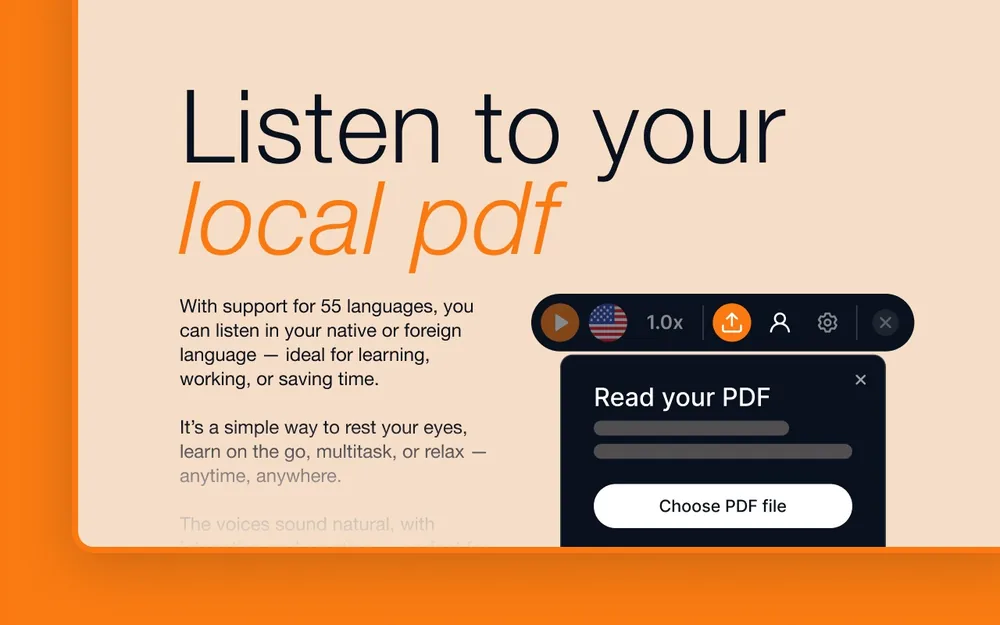
Can Readify help with PDF text to speech in Chrome?

Readify supports compatible PDF text to speech workflows, so you can listen while keeping access to the original page layout and wording.

Is a Chrome extension useful for long articles?

Yes. A chrome extension that reads text can make long articles easier to finish because you can listen, pause, adjust speed, and return to the page when visual context matters.

How do I remove chrome extensions I no longer use?

Open Chrome's Extensions page, review the installed tools, and choose Remove for any extension you no longer want. Keep Readify installed if you want quick access to read-aloud controls.

How to manually install extensions on Chrome?

Open Chrome Extensions, enable Developer mode, and use Load unpacked only for extension files from a trusted source. For regular use, install Readify from its official extension page when available.

Will listening replace reading the original page?

No. Readify is designed to keep audio and text connected, so you can listen for momentum and still return to the exact passage, highlight, or note when you need closer review.