
Introduction
Looking for the right AO3 app usually means you want less friction between finding a fic and enjoying it. The best AO3 reader is not necessarily a separate app: it is the reading setup that lets you search safely, manage a long chaptered work, adjust the text, and pick up where you left off. For many readers, the strongest AO3 app workflow begins in a mobile browser and expands to a personal library only when it is useful.
This guide compares practical AO3 reader options rather than declaring one universal winner. You can read an AO3 fanfic in a browser, download an author-enabled copy for a personal e-reader workflow, or listen to an eligible personal text file with Readify. If you want a calmer reading routine, try Readify with your own supported files after choosing the workflow that suits you.

Is There an Official AO3 App?
No. AO3 says it does not currently make or maintain mobile apps, and it advises readers to be cautious when a third-party service asks for AO3 login details. Its mobile skin is designed to work in a device browser, so a browser shortcut is often the simplest AO3 app-like experience. See AO3’s own mobile-app and accessibility FAQ for the current policy.
That distinction matters when comparing an AO3 app with an AO3 reader. A mobile browser accesses the official AO3 website directly. A separate reader may be useful for locally saved files, but it is not automatically an official client, and it should not need your credentials simply to improve typography.
What Makes a Good AO3 Reader?
A good AO3 reader solves a specific reading problem. Before installing or trusting an AO3 app, decide which of these matters most to you.
Reliable Discovery and Filtering
The AO3 website remains the natural place to search tags, pairings, ratings, warnings, and completion status. That is especially useful when you are looking for the best fanfiction in a new fandom or trying to decide where to read fanfiction without losing the archive’s filters. An AO3 reader should complement that discovery step, not replace it with an opaque catalog.
Comfortable Long-Form Reading
For a 200,000-word AO3 fanfic, font size, line spacing, dark mode, and a stable reading position can matter more than a flashy interface. The best AO3 reader option is the one you will actually use for a multi-chapter story. AO3 itself supports current desktop and mobile browsers, e-readers, and screen readers; its accessibility guidance also notes that users can customize the site with skins. Read the official access FAQ before assuming you need another AO3 app.
Personal-File Flexibility
Some readers want an AO3 reader for a browser tab; others want an e-reader library. AO3 offers downloads in EPUB, PDF, HTML, AZW3, and MOBI, with format and device notes in its Downloading Fanworks FAQ. That makes an AO3 EPUB workflow a sensible option when a work’s available download controls suit your needs.
Account Safety
Treat account access as a separate question from reading comfort. An AO3 app that requires a password creates a different risk from a local file reader that never sees your account. Use the official website for sensitive account actions, keep your browser up to date, and follow AO3’s warning about third-party requests for login information.
Choose Your Reading Path
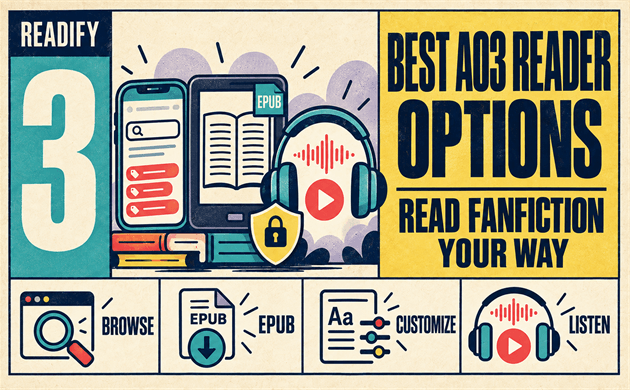
Option 1: Use the AO3 Website in a Mobile Browser
This is the cleanest choice for readers who want live search, filters, bookmarks, and updates. Save the AO3 website to your home screen if you want the convenience people often expect from an AO3 app, but prefer direct access to the official site. A browser-first AO3 reader workflow is also ideal for sampling several AO3 fanfics before committing to a long work.
Choose this path when you:
- Want the archive’s latest tags and filters.
- Read connected to the internet.
- Prefer not to share credentials with an unknown AO3 app.
- Mainly need a better font, theme, or browser reading mode.
Option 2: Download an Available Work for Personal Offline Reading
If an author’s work presents the download option, a downloaded file can be a useful AO3 reader companion for flights, commutes, or distraction-free reading. AO3 confirms that downloads contain all currently available chapters at the time of download, so works in progress need a new download to include later updates. EPUB and PDF are common choices for a personal e-reader library; select the format that works with your device, using AO3’s official format guidance.
This does not mean every tool is an AO3 app. It means you are using the archive’s own download feature and opening the resulting personal file in a reader you control. Respect the creator, the archive’s rules, and the limits of the work’s access settings; do not redistribute files or treat offline access as permission to repost.
Option 3: Listen to Eligible Personal Text Files
Some people search for AO3 text to speech because visual reading is tiring, a commute is long, or they simply enjoy listening. Readify is not an AO3 app and does not log into AO3. It can turn eligible personal PDF, EPUB, and DOCX files into spoken audio, which can support a personal listening routine after you have obtained a file through the available, author-supported route. Explore how listening and reading can work together or open Readify.
For an accessible AO3 reader workflow, test a short file first. Check headings, chapter breaks, pronunciation, and playback speed. Keep the source file private and return to the AO3 website for comments, kudos, updates, and creator context.
Browser, E-Reader, or Read-Aloud: Which Fits You?
The best AO3 reader depends on the moment, not a brand label.
- Browser: Best for discovery, filters, active comment threads, and works in progress. This is the most direct AO3 app alternative.
- E-reader or reading app: Best for an AO3 EPUB or PDF you have legitimately saved for personal reading, with adjustable type and an offline library.
- Read-aloud workflow: Best when you want hands-free access to an eligible personal file. It is a personal-file companion, not a replacement for the AO3 website.
You can combine all three. Discover an AO3 fanfiction story in the browser, save an available copy for a weekend away, then continue with your preferred AO3 reader at home. This approach also avoids forcing one tool to do everything.

How to Build a Better AO3 Reading Routine
Start With the Archive, Not a Mystery Catalog
When asking where to read fanfiction, start with the work’s original archive page whenever possible. You can check tags, ratings, warnings, author notes, series order, and update status in context. That is far more useful than a generic “best fanfiction” list that strips away why a particular work may or may not suit you.
Make Long Works Easier to Return To
For each AO3 fanfic you plan to finish, use one dependable place to track your progress. In a browser, that might be a bookmark or a tab group. In a personal library, it might be a clearly named EPUB. A good AO3 reader is often just the system that prevents you from losing chapter 47.
Adjust the Display Before You Abandon the Site
Try larger text, more spacing, a lower-glare theme, or an AO3 skin before moving to another AO3 app. AO3’s accessibility FAQ lists accessibility-oriented skins, including options aimed at larger text and reverse contrast. Small changes can make an AO3 fanfic far easier to read without changing where you browse.
Keep Offline Files Organized
If you read AO3 offline, give files useful names and separate completed works from works in progress. Include the title, author, fandom, and download date in your own system. Since an offline file is a snapshot, redownload a work in progress when you want the newest chapters.

A Note on “A03” Searches
Searches such as a03 fanfic and a03 fanfiction usually use a zero where AO3 uses the letter “O.” They are looking for the same archive and reading choices. Use the official AO3 website address rather than trusting a result solely because its name resembles the archive, especially before entering account information.
Where Does Readify Fit?
Readify fits after, not inside, your archive browsing. It is useful when you already have an eligible personal EPUB, PDF, or DOCX and want a spoken version for private listening. It does not claim to be the best AO3 reader for everyone, an official AO3 app, or an AO3 downloader.
For readers building a flexible routine, Readify can complement an AO3 reader in three ways:
- Turn an eligible personal text file into audio for a walk or commute.
- Let you switch between visual reading and listening without creating a second account on a third-party AO3 app.
- Keep your reading setup centered on files you control while the AO3 website remains the place to discover, follow, and support creators.
Visit the Readify blog for more personal reading and listening ideas, or try Readify when you have an eligible file ready.

FAQ
What Is the Best AO3 Reader?
The best AO3 reader is the one that matches your task: the official website in a browser for search and updates, an e-reader for an available personal download, or a read-aloud tool for an eligible personal file. No separate AO3 app is required for basic browsing.
Is There an Official AO3 App?
No official AO3 app is currently maintained. AO3 recommends browser access on mobile devices and cautions readers about third-party tools requesting login information. A saved browser shortcut can provide a simple AO3 app-like launch point.
Can I Read AO3 Offline?
Yes, when a work offers the archive download controls. AO3 says you can download fanworks in several formats, including EPUB and PDF, for later access. Your personal AO3 reader can then open the saved file; update a work in progress by downloading a newer copy.
Can I Use an AO3 EPUB With Text to Speech?
An AO3 EPUB can be part of a personal accessibility workflow if it was obtained through the archive’s available download option and works with your chosen tool. Check the tool’s supported formats and keep the file for personal use. Readify accepts eligible personal EPUB, PDF, and DOCX files; it is not an AO3 app.
Is a Fanfiction Reader Different From the AO3 Website?
A fanfiction reader is a broad label for any tool used to read fan works. The AO3 website is where you browse the archive itself; an AO3 reader may mean a browser setup, e-reader, or personal-file tool. For AO3 fanfics, choose the option that protects account safety and preserves the creator’s context.
Read Fanfiction on Your Terms
The right AO3 app search result is often not an app at all. Start with the official archive in a browser, use an AO3 reader for the reading situation you actually have, and reserve downloaded files for personal, responsible use. When an eligible personal file would be easier to hear than to hold, try Readify and make your next long fic fit the rest of your day.
