
Introduction
Learning how to start a podcast can feel like learning five jobs at once. You need an idea, a format, recording equipment, editing skills, distribution, and a plan for finding listeners. Fortunately, you do not need a professional studio or a large team to publish a useful first episode.
This beginner guide explains how to make a podcast from concept to launch. It covers the equipment needed for starting a podcast, how to record a podcast clearly, how to produce a podcast efficiently, and how to build a repeatable publishing workflow. If you already have notes, research, or a draft script, Readify can also turn eligible personal documents into spoken audio so you can listen for awkward sentences before recording. Start with the plan below, create a short pilot, and improve from real feedback instead of waiting for perfect conditions.
For beginner creators, the best way to understand how to start a podcast is to complete one small production cycle. You can get started for free with Readify when you want to hear an eligible personal script before stepping up to the microphone.
How Do Podcasts Work?
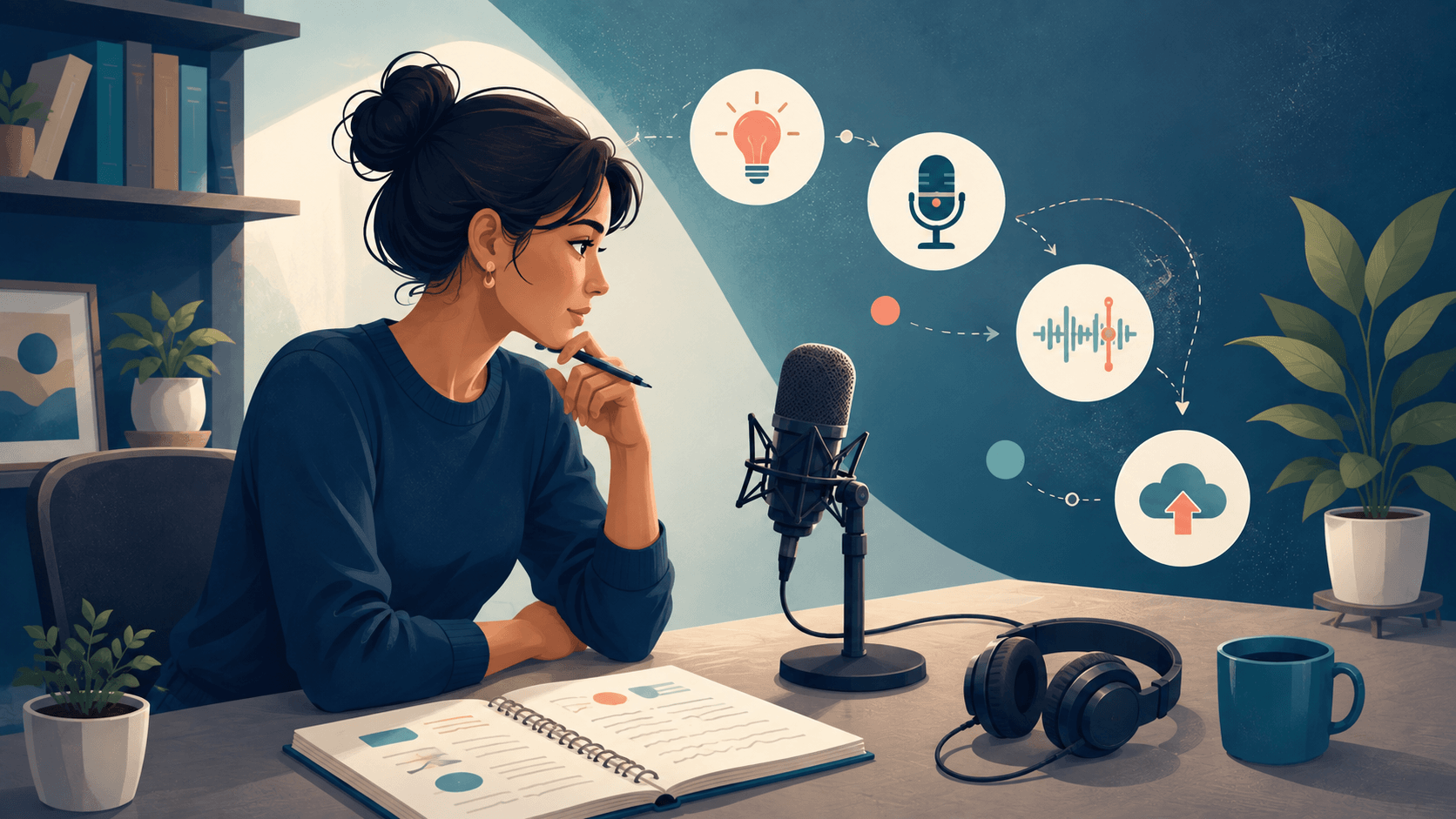
A podcast is a series of audio or video episodes that listeners can stream or download. The creator records and edits each episode, uploads it to a podcast hosting service, and publishes information such as the show title, description, artwork, and episode notes. The host generates an RSS feed, which podcast directories use to display new episodes.
This distinction matters when you are beginning a podcast: the hosting service stores and distributes your media, while listening apps help audiences discover and play it. Apple explains that a show submitted through an RSS feed must include required tags, at least one episode, and artwork. Its official podcast RSS feed requirements provide the technical details.
In practical terms, how do podcasts work for the creator? You publish through your host, maintain the feed, and submit or connect that feed to listening platforms. When you release another episode, compatible directories read the updated feed. The exact distribution tools vary by host, so always check the current instructions for your chosen service.
How to Start a Podcast in 10 Steps
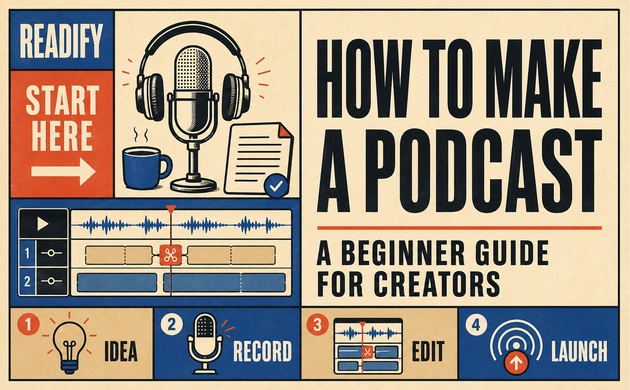
The simplest answer to how to start a podcast is to move through ten decisions in order:
- Define the listener and purpose.
- Select a topic you can sustain.
- Choose a repeatable podcast format.
- Name and describe the show.
- Plan the first three episodes.
- Assemble a basic recording setup.
- Record a pilot episode.
- Edit, review, and export the audio.
- Choose a host and submit the show to directories.
- Launch, measure response, and improve.
This sequence keeps podcasting for beginners manageable. It also prevents a common mistake: buying expensive equipment before proving that the concept works.
The same roadmap explains how to start a podcast for beginners and how to start your own podcast without a production company. Keep the first season narrow enough to finish, then expand after learning what listeners value.
1. Define the Listener and the Promise
Before choosing a microphone, write one sentence that completes this idea: “This show helps this specific listener achieve or understand this specific thing.” A clear promise makes decisions about guests, episode length, tone, and promotion easier.
If you are asking, “How do I start a podcast when I have several interests?”, choose the overlap between three areas: what you understand, what your intended listener wants, and what you can discuss for at least ten episodes. A broad subject such as business is difficult to distinguish. A focused promise—practical operations lessons for first-time independent retailers—is easier to recognize and remember.
2. Choose a Sustainable Topic
A sustainable subject produces more than one exciting episode. Before starting a podcast, list 20 possible episode questions. If the list stops at four, narrow or change the angle. If every idea serves a different audience, tighten the promise.
Spotify’s step-by-step creator guide similarly begins with the topic and niche, then moves through format, branding, recording, editing, publishing, and growth. Use competitor research to identify gaps, but do not imitate another show’s name, artwork, or distinctive presentation.
For business podcasts, connect every episode to a real audience problem. A business podcast might analyze a decision, interview an operator, explain a process, or document a startup experiment. A startup podcast can work as an interview series, a founder diary, or a narrative case study. The format should support the promise rather than follow a trend.
3. Select the Right Podcast Format
Choose a structure that you can repeat without exhausting your time or budget. Common formats include:
- Solo commentary: efficient to schedule and useful for teaching or opinion.
- Interview: brings outside expertise but requires guest coordination.
- Co-hosted conversation: creates energy, though roles and editing expectations must be clear.
- Narrative documentary: immersive but research- and edit-intensive.
- Audio drama: built around scripts, performers, sound design, and serialized storytelling.
- Panel or roundtable: offers multiple viewpoints but demands careful moderation.
The best format is not necessarily the most ambitious one. When learning how to make a podcast, choose the structure you can publish consistently for a first season. Six focused episodes are more useful than an elaborate concept that never launches.
4. Create a Name, Description, and Visual Identity
A good podcast name should be distinctive, pronounceable, and relevant to the subject. Search podcast directories, search engines, domain registries, and trademark databases before committing. Avoid a vague name that forces the subtitle to do all the explanatory work.
Next, write a concise show description answering three questions: Who is it for? What will they hear? Why should they return? Design cover art that remains recognizable at thumbnail size. Apple’s podcast artwork guide identifies the show cover as the required primary visual for publishing on its platform and separates it from optional episode, chapter, and promotional artwork.
5. Plan Three Episodes Before Recording
Do not launch with only one idea. Outline a small opening batch so listeners immediately understand the range and promise of the show. A practical starter plan is:
- A foundational episode that solves a common problem.
- A story, case study, or interview that adds human detail.
- A deeper episode that demonstrates the show’s long-term value.
For each episode, prepare a hook, three to five main points, supporting examples, and a closing action. Full scripts suit tightly produced educational shows and audio drama. Flexible outlines usually sound more natural for interviews and conversation.
If you write scripts in PDF, EPUB, DOCX, or another supported personal format, you can use Readify’s reading and listening workspace to hear eligible material before you record. Listening exposes long sentences, repeated words, abrupt transitions, and sections that look clear on screen but sound confusing aloud. Revise the script, then rehearse it in your own voice.
Starting a Podcast: Equipment Needed Without Overspending
The equipment needed for starting a podcast depends on your room, number of speakers, and whether guests are local or remote. A beginner can start with a quiet space and a reliable USB microphone. Buying more equipment cannot compensate for echo, poor microphone placement, or an unprepared host.
Essential Equipment
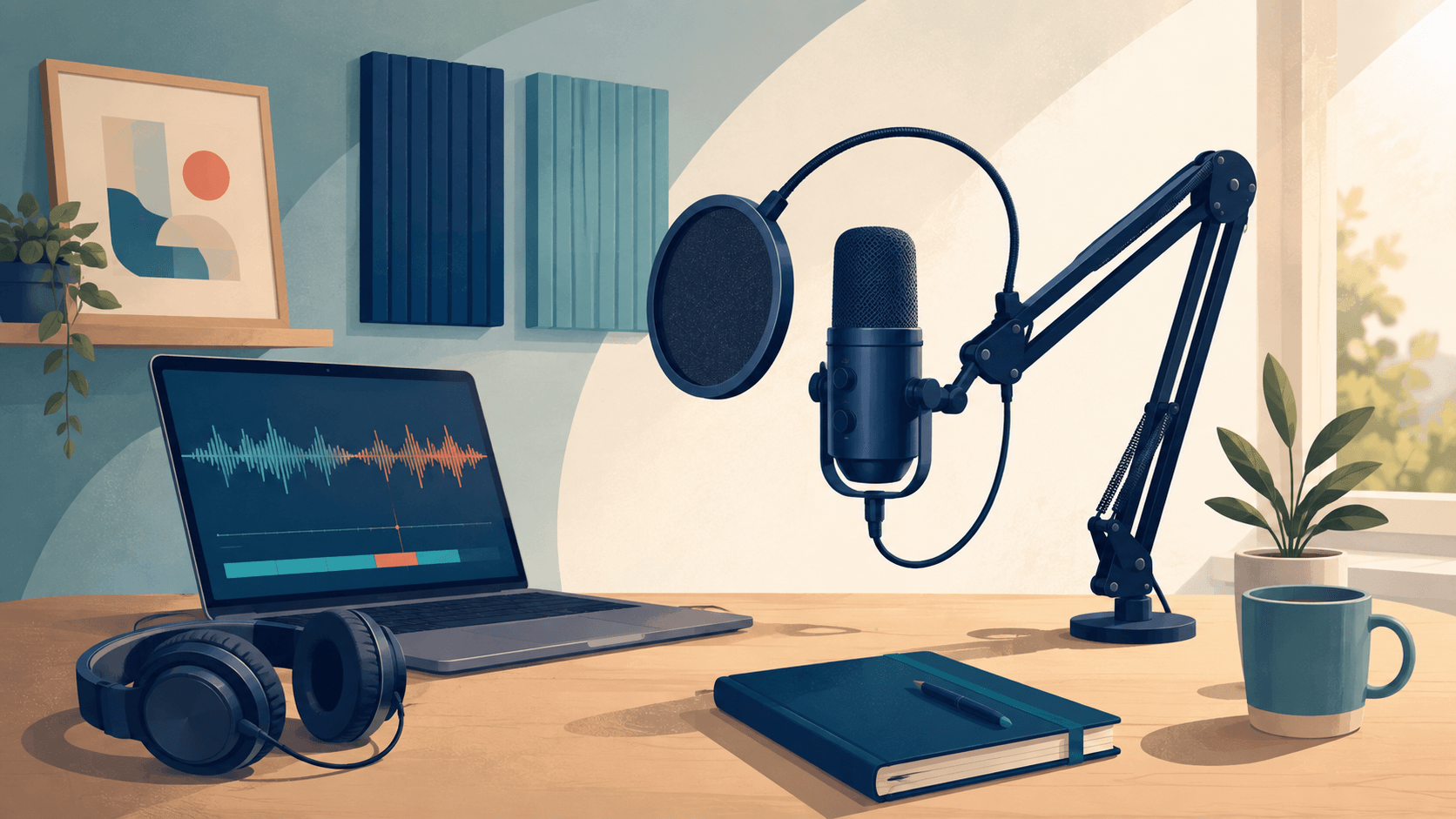
For most solo creators, the basic equipment needed includes:
- A computer or phone capable of stable recording.
- A USB microphone or a suitable microphone with an audio interface.
- Closed-back headphones to monitor sound without speaker bleed.
- A stand or boom arm that keeps the microphone stable.
- A pop filter or windscreen to reduce plosive sounds.
- Recording and editing software.
- A quiet, softly furnished recording area.
Searching for equipment often leads beginners toward shopping lists, but the room affects the recording as much as the microphone. Curtains, rugs, upholstered furniture, and distance from reflective walls can reduce unwanted reverberation. Record a short test in the actual location before spending more.
Optional Upgrades
An XLR microphone and audio interface offer more routing flexibility, particularly for multiple local speakers. Portable recorders help with field interviews. Acoustic treatment, backup storage, and separate microphone tracks become valuable as production grows.
However, equipment for starting a podcast should match the current workflow. A solo weekly show does not need a four-input interface. A two-person in-room interview may. Set a budget, identify the actual bottleneck, and upgrade only when a test recording demonstrates the need.
How to Record a Podcast That Sounds Clear
Knowing how to record a podcast is more about controlling the environment and performance than chasing a particular microphone. Turn off fans and noisy appliances, silence notifications, close unnecessary applications, and position the microphone consistently. Wear headphones when monitoring so playback does not leak back into the recording.
Place a directional microphone close enough to capture a strong voice signal without crowding the speaker. Speak slightly across the microphone rather than directly into it if plosives are a problem. Maintain the same distance throughout the session.
Before recording the full episode, capture a test with the loudest voice you expect. The Audacity recording manual recommends monitoring and adjusting the input before recording and notes that approximately −6 dB is a sensible target for the loudest passages. Leave headroom and avoid clipping.
Record Remote Guests Carefully
Send guests a simple preparation checklist: choose a quiet room, use headphones, silence devices, place the microphone close, and avoid touching the desk. When possible, record each speaker to a separate track. Separate tracks make it easier to balance levels and remove a noise from one person without damaging everyone else’s audio.
Always keep a backup. A second local recording or platform backup can rescue an interview when a connection fails. Confirm consent before recording and explain where the conversation will be published.
Improve the Host Performance
Rehearse the opening, guest introduction, transitions, and closing. Do not attempt to eliminate every natural pause. Instead, focus on clarity, pacing, and active listening. During an interview, ask concise questions and allow the guest to finish before responding.
Creators asking, “How do you make a podcast sound professional?” often expect a plug-in or effect. The bigger improvements usually come from preparation, microphone technique, a quiet space, and a clean edit.
How to Produce a Podcast Efficiently
Podcast production turns raw recordings into a coherent episode. To understand how to produce a podcast, separate editorial decisions from technical cleanup.
First, make a structural edit. Remove false starts, irrelevant tangents, repeated explanations, and sections that do not serve the episode promise. Then make a technical pass for distracting noises, inconsistent levels, and obvious mistakes. Add music only when you own the necessary rights, have permission, or have a license that covers the intended use.
Copyright deserves attention before launch. The U.S. Copyright Office explains that a musical composition and its sound recording are separate protected works, and using another artist’s work generally requires permission, a suitable license, a public-domain basis, or an applicable legal exception. Its music copyright guidance also warns that there is no automatic “safe” minimum amount that can always be used without permission.
Use a Repeatable Editing Checklist
When making a podcast, review these elements in the same order every time:
- Story and sequence.
- Factual accuracy and required corrections.
- Unwanted pauses, interruptions, and repeated phrases.
- Voice balance and distracting background noise.
- Intro, outro, transitions, and licensed music.
- Final playback on headphones and ordinary speakers.
- Export, filename, metadata, and backup.
Avoid editing a voice until it sounds unnatural. A clean, intelligible conversation matters more than removing every breath.
Add a Transcript and Useful Show Notes
Transcripts improve access for people who cannot hear the recording and help readers scan or search the material. W3C accessibility guidance describes text transcripts as equivalents for audio information and notes their value for people with hearing disabilities or those unable to play audio. Use the W3C guidance on transcripts as an accessibility starting point, then proofread automated transcripts for names, technical terms, and speaker changes.
Show notes should summarize the episode, identify guests, provide relevant resources, and make sponsorship or affiliate relationships clear. Do not paste an unedited transcript into the description field and expect it to serve every purpose.
How to Set Up a Podcast for Hosting and Distribution
Once the master file, cover art, description, and show notes are ready, choose a podcast host. Compare storage, bandwidth, analytics, distribution support, ownership terms, redirect options, accessibility features, customer support, and pricing. Free plans can be useful, but check their limits and what happens if you later move the feed.
This is the operational answer to how to set up a podcast:
- Create the show in the hosting platform.
- Upload artwork and complete show metadata.
- Upload a trailer or first full episode.
- Review the episode title, description, and explicit-content setting.
- Confirm ownership and usage rights.
- Generate or locate the RSS feed.
- Validate and submit the show to selected directories.
- Test the public episode on more than one device.
Apple allows creators to submit a show through a third-party-hosted RSS feed in Apple Podcasts Connect, where the feed is validated before publication. Follow Apple’s show submission instructions for the submission process.
How to Start a Podcast on Spotify
If your goal is how to start a podcast on Spotify, use Spotify’s current creator documentation because hosting, distribution, video, analytics, and monetization options can change. Set up the show, complete its metadata, publish or connect the relevant feed, and verify how distribution works for the account and host you selected. Do not assume that appearing on one listening platform automatically completes every external directory submission.
How to Launch a Podcast Without a Large Audience
The best answer to how to launch a podcast is to prepare a small, coordinated release. Create a trailer, one or more full episodes, a simple landing page, and several promotional excerpts. Apple suggests that a one- to two-minute trailer can introduce the show’s themes and sample its content; its episode creation guidance also explains full, bonus, and trailer episode types.
Ask a small group of target listeners to test the episode before release. Give them specific questions:
- Was the promise clear in the first minute?
- Where did your attention drop?
- Was any term unexplained?
- Did the audio level feel consistent?
- Would you play another episode, and why?
Use that feedback to correct friction without redesigning the show for every individual preference.
Build a Sustainable Promotion Loop
Turn each episode into several useful assets: a short excerpt, a quote, a written summary, an email, and a question for your community. Invite relevant guests to share the final episode, but make sharing easy and optional. Collaborations work best when the episode serves both audiences.
If your show relates to reading, learning, or accessible listening, explore the Readify blog for adjacent content ideas. You can also use Readify’s guide to listening and reading to think about when audiences may prefer spoken material, text, or a combination of both.
Starting a Podcast as a Business
Business podcasts need an objective beyond “brand awareness.” Decide whether the show should build authority, educate customers, support a community, generate qualified conversations, or deepen relationships with existing users. Then choose measurements connected to that goal.
Downloads alone can mislead. A focused business podcast with a small relevant audience may produce more value than a broad show with passive listeners. Track indicators such as qualified replies, newsletter subscriptions, resource downloads, returning listeners, and conversations influenced by specific episodes.
A startup podcast also needs a realistic production commitment. Assign ownership for research, booking, recording, review, publishing, and promotion. Establish an approval deadline so an episode does not become trapped in stakeholder revisions. If customers or employees appear, document consent and any confidentiality boundaries.
Monetization can include advertising, sponsorship, subscriptions, memberships, services, events, or indirect business outcomes. Build audience trust before loading early episodes with promotions. Disclose material relationships clearly and check the applicable rules in every market where you operate.
Common Mistakes When Beginning a Podcast
Buying Too Much Equipment
Equipment for starting a podcast should solve a demonstrated problem. Begin with the smallest reliable setup, improve the room and technique, and upgrade after reviewing actual recordings.
Choosing a Topic That Is Too Broad
“Business,” “culture,” or “technology” does not tell a listener why this show is different. Define the audience, recurring question, and point of view.
Launching Without an Episode Pipeline
Produce a small buffer before release. A buffer gives you time to solve technical issues and maintain a consistent schedule without rushing every edit.
Treating Distribution as Promotion
Submitting an RSS feed makes a show available; it does not guarantee discovery. Promotion requires relevant excerpts, guest collaboration, search-friendly titles, community participation, and a reason for listeners to recommend the show.
Using Music Without Confirming Rights
Do not assume that attribution, a short clip, or owning a streaming subscription grants podcast usage rights. Confirm the license and retain documentation.
Waiting for a Perfect First Episode
If you want to know how to start a successful podcast, consistency and relevance matter more than expecting the first release to be flawless. Set a quality threshold, publish, study useful feedback, and improve the next episode.
Six Decisions to Make Before Recording
Will the Show Be Solo, Co-Hosted, or Interview-Based?
The first decision in how to start a podcast is who needs to be present for every recording. A solo structure simplifies starting a podcast because there are no guest calendars to manage. A co-hosted show needs clear responsibilities, while an interview show needs outreach, preparation, consent, and backup guests. Answering this early helps you build a show that can maintain its publishing schedule.
Will You Use a Script or an Outline?
Creators asking, “How do you make a podcast?” often assume every word must be scripted. Full scripts work well for education, news, and narrative audio, while outlines can preserve spontaneity in interviews. If your question is, “How do I make a podcast sound natural?”, rehearse the transitions and opening without forcing every sentence into identical rhythm. This decision also reduces unnecessary work when making a podcast.
Will Guests Record Locally or Remotely?
Guest location changes how to start a podcast, how to record a podcast, and the equipment needed. Local conversations may require several microphones and an interface. Remote sessions require stable connections, headphones, clear guest instructions, and preferably separate local tracks. Decide this before buying equipment so the setup reflects the actual format.
Who Will Edit and Approve Each Episode?
A realistic plan for how to start a podcast assigns responsibility for structural editing, audio cleanup, fact-checking, show notes, transcripts, and approval. Understanding how to produce a podcast is especially important for business podcasts, where multiple stakeholders can delay publication. A business podcast or startup podcast needs a firm review deadline and one person with authority to finalize the episode.
Where Will the Show Be Published?
Distribution affects how to start a podcast long before launch day. Research how to set up a podcast with the selected host, how to start a podcast on Spotify, and how individual directories validate an RSS feed. Understanding how podcasts work prevents the common assumption that uploading an audio file to one service automatically completes every submission.
What Does a Successful First Season Mean?
The final decision in how to start a podcast is how success will be judged. For podcasting for beginners, completing a consistent first season may be the best result. For business podcasts, success might involve qualified responses or useful customer education. Defining the result makes the launch plan clearer and creates a more realistic foundation for how to start a successful podcast.
A Seven-Day Plan for Your First Podcast Pilot
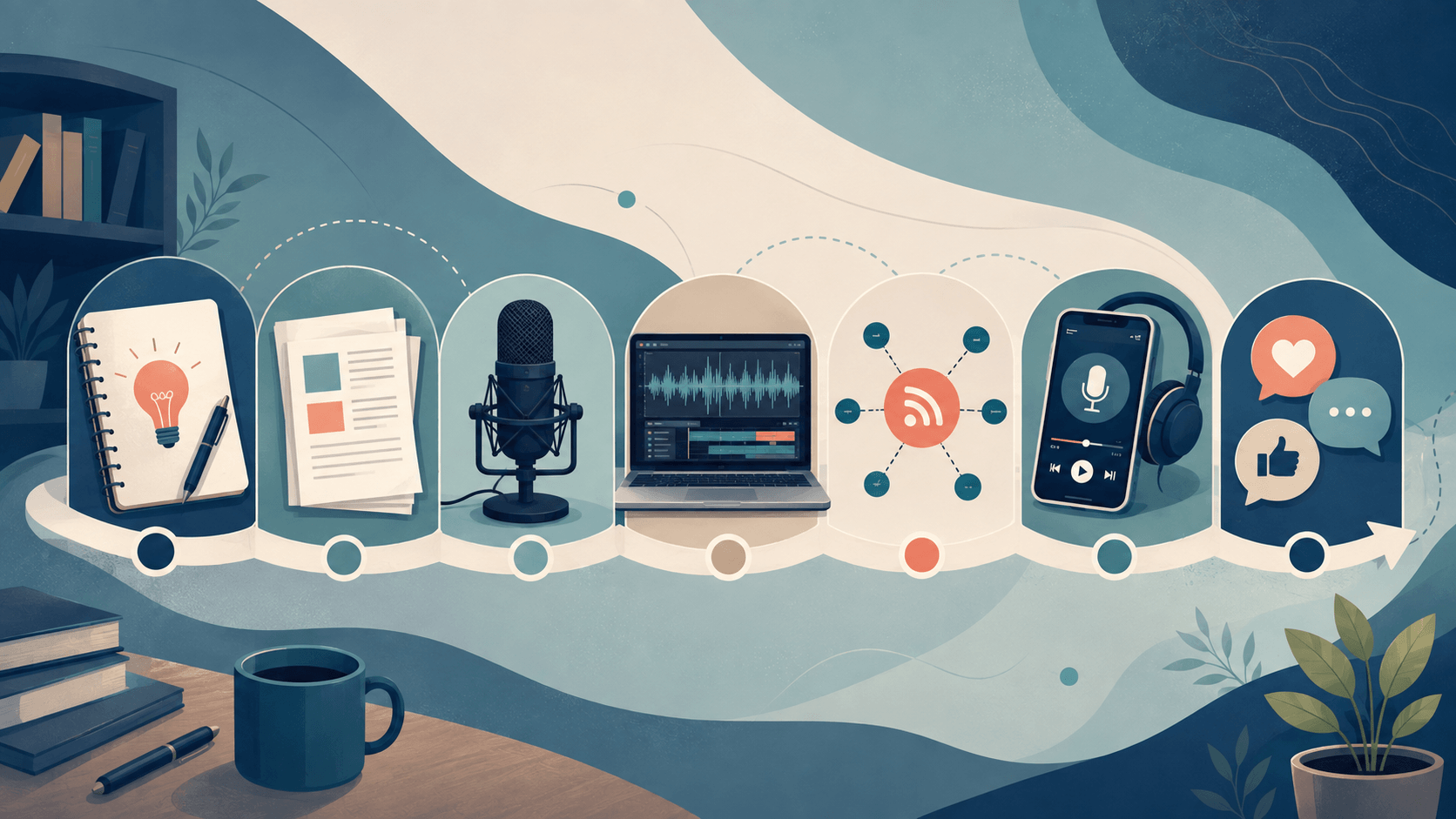
A short production sprint turns learning how to start a podcast into a finished test. The goal is to complete a private pilot, discover the real workload, and decide what should change before launch. Take longer if the format or your schedule requires it.
Day 1: Define the Listener and Episode Promise
Write a one-sentence promise and ten possible episode titles. This first-day exercise clarifies how to start a podcast around an audience need rather than a broad personal interest. It also makes starting a podcast easier to sustain because every future idea has a clear relevance test.
Day 2: Choose the Format and Outline
Decide whether the pilot will be solo, interview-based, co-hosted, or narrative. Then outline the hook, central question, three main points, and closing action. When learning how to make a podcast, a short outline often reveals whether the chosen format supports the subject or creates unnecessary work.
Day 3: Test the Recording Space
Use the equipment you already have to capture several minutes of speech. Listen for echo, traffic, computer fans, plosives, and sudden changes in volume. This test is a practical part of how to start a podcast because it identifies the real weakness in the setup before you spend money. Compare the result with your equipment list and upgrade only when the recording provides evidence.
Day 4: Rehearse and Record
Read the opening aloud several times, but do not memorize every word unless the format requires it. For creators researching how to record a podcast, the important habits are consistent microphone distance, a controlled room, sensible recording levels, and a backup. Record the complete pilot even if you make mistakes; note the time and continue so you can evaluate the full episode structure.
Day 5: Make an Editorial Edit
Listen once without touching the timeline. Mark where the promise becomes clear, where attention drops, and where an explanation repeats. Then edit for structure before processing the sound. This helps you learn how to produce a podcast without spending time polishing material that should be removed. It is also one of the most useful lessons in how to start a podcast efficiently.
Day 6: Prepare the Publishing Package
Draft the episode title, description, show notes, transcript, and cover concept. Research hosting terms and directory requirements, but do not publish until the package is coherent. This is where how to set up a podcast, how to start a podcast on Spotify, and platform-specific submission requirements become practical rather than theoretical.
Day 7: Collect Targeted Feedback
Share the private pilot with several people who resemble the intended listener. Ask whether the opening promise was clear, which section felt slow, whether the audio was comfortable, and what they expected next. Their answers will teach you more about how to start a successful podcast than general encouragement. Use the feedback to decide whether to revise the format, record another pilot, or proceed with a structured launch plan.
By the end of the week, you will understand how to start a podcast through direct experience. You will also have evidence about starting a podcast costs, recording conditions, editing time, and audience response. Repeat the sprint if necessary; a private second pilot is cheaper than launching an unclear show.
Frequently Asked Questions
How do you start a podcast as a complete beginner?
Define a specific audience and promise, choose a manageable format, outline three episodes, record a pilot with a simple setup, edit it, choose a host, and submit the RSS feed to listening platforms. This is the clearest route for podcasting for beginners because each step produces something you can test.
For beginner creators, how to start a podcast is ultimately a question of sequencing: validate the idea before upgrading the production. If you are specifically searching for how to start a podcast for beginners, keep the pilot short and choose a publishing schedule you can maintain.
How do I start a podcast with no experience?
Start with a five- to ten-minute private pilot. Practice the opening, record in a quiet room, edit only the most distracting mistakes, and ask several intended listeners for specific feedback. You do not need to publish the practice episode.
This is also the practical answer to how to start your own podcast: make the first test small enough that you can finish it, review it, and try again.
How do you make a podcast with minimal equipment?
A quiet room, a dependable computer or phone, a suitable microphone, headphones, and recording software can be enough. Good placement and low room echo frequently matter more than an expensive equipment list.
How do I make a podcast from a written script?
Write for the ear by using shorter sentences, clear transitions, and conversational language. Read the script aloud before recording. Readify can convert an eligible personal document into audio, helping you hear pacing and repetition, but you should still rehearse and record the finished episode in your own intended presentation style.
How can I do a podcast with remote guests?
Use a recording service that can capture separate tracks, ask every participant to wear headphones, and request a quiet room and stable connection. Record a backup when possible and obtain consent before the interview begins.
How do I do a podcast for my business?
Connect the show to one measurable business objective, choose topics that answer real audience questions, assign production responsibilities, and evaluate qualified actions rather than downloads alone. Keep the editorial value clear even when the podcast supports a commercial goal.
How long does making a podcast take?
It depends on the format. A lightly edited solo show may require only planning, recording, cleanup, and publishing. A researched narrative or audio drama can require scripting, fact-checking, multiple performers, sound design, and extensive editing. Test one pilot to estimate your own repeatable workload.
How much does starting a podcast cost?
There is no universal amount. You may already own a capable phone or computer, while microphones, interfaces, remote recording tools, hosting, music licenses, artwork, and editing support can add costs. Set a pilot budget and confirm current prices before buying.
What is the most important part of how to start a podcast?
The most important part is a clear, sustainable promise to a defined listener. Equipment and distribution matter, but neither can rescue a show that lacks a useful reason to return.
Start Small and Publish With Purpose
Learning how to start a podcast becomes easier when you treat it as a sequence of testable decisions. Define the audience, select a repeatable format, plan several episodes, build a modest recording setup, produce a pilot, and choose distribution tools after the concept is clear.
Your first goal is to make one focused episode that the intended listener can understand and value. Listen back carefully, fix the most important problems, launch with a sustainable plan, and let each release teach you how to make a podcast better.
If listening to a draft would improve your rehearsal, get started for free with Readify and review an eligible personal script as audio before you record.
