
A list of easy to learn languages can tell you that Spanish shares vocabulary with English or that another language uses a familiar alphabet. It cannot tell you what will happen when a sentence that looks understandable on the page reaches your ears at natural speed.
That gap is where many learners stall. They can read a short article, recognize most of its words, and still lose the sentence when sounds connect, unstressed syllables shrink, or an ordinary word takes on a specialized meaning. The problem is not a lack of beginner lessons. It is the missing bridge between controlled exercises and the material the learner actually wants to understand.
Readify can turn that material—a permitted PDF, EPUB, DOCX file, or webpage—into neural text-to-speech while keeping the text available. Two functions matter most for the workflow in this guide:
- Adjustable playback speed, used as a deliberate change in difficulty rather than a race to finish.
- AI-supported explanation and Q&A, used to investigate a term inside its sentence before returning to the audio.
Together, they create a repeatable loop: hear, slow down, investigate, return to context, and listen again. Spanish is the main example below, but the method applies to different languages and to learners beyond the beginner stage.
Why an “Easy” Language Can Still Be Difficult to Hear
Language difficulty is relational. Spanish may feel accessible to an English speaker because the two languages share many cognates. Portuguese may be easier for a Spanish speaker than for someone who speaks only English. A learner who already reads Chinese characters approaches Japanese with a different starting point from a learner who has never used a character-based writing system.
That is why rankings of easy to learn languages are useful for estimating distance, but weak at diagnosing an individual listening problem. Three learners can read the same paragraph and struggle for completely different reasons:
- One cannot identify where one spoken word ends and the next begins.
- One recognizes every word but processes the sentence too slowly to retain its beginning.
- One understands everyday vocabulary but misses the domain-specific meaning of a familiar term.
The third problem is especially easy to overlook. Consider the Spanish sentence: “La planta cerrará por mantenimiento el viernes.” A beginner may know planta as “plant” and imagine vegetation. In this context, it can refer to an industrial plant or facility. Hearing the word more clearly will not resolve the meaning by itself. The learner needs a contextual explanation, then another chance to hear the complete sentence.
The goal is therefore not to find audio that is permanently slow or text that is permanently simple. It is to make authentic material adjustable at the exact point where comprehension breaks.
The Real Bottleneck: From Words You Can Read to Speech You Can Recognize
Many language apps are excellent at introducing vocabulary in short, graded units. The difficulty arrives later, when the learner opens a news article, class handout, work document, or chapter that was not written as a lesson.
A familiar written phrase may sound unfamiliar because natural speech changes it. Words connect. Stress moves toward the information that matters. Function words become quieter. A learner who can translate a sentence may still need several attempts to perceive its structure in audio.
Neural TTS is useful here because it can add spoken delivery to text that has no recording. It is not a replacement for native conversation, and it will not pronounce every name, abbreviation, or regional expression perfectly. Its practical advantage is coverage: the learner can practice with the exact content that matters to a course, job, hobby, or travel plan instead of waiting for someone to record it.
Readify’s language-learning workflow keeps written material and narration together. The visible text lets the learner confirm spelling and sentence structure; the audio tests whether those same words can be recognized in time. That combination turns passive reading into a controlled listening exercise.
One Passage, Three Speeds: A Listening Workout Instead of Background Audio
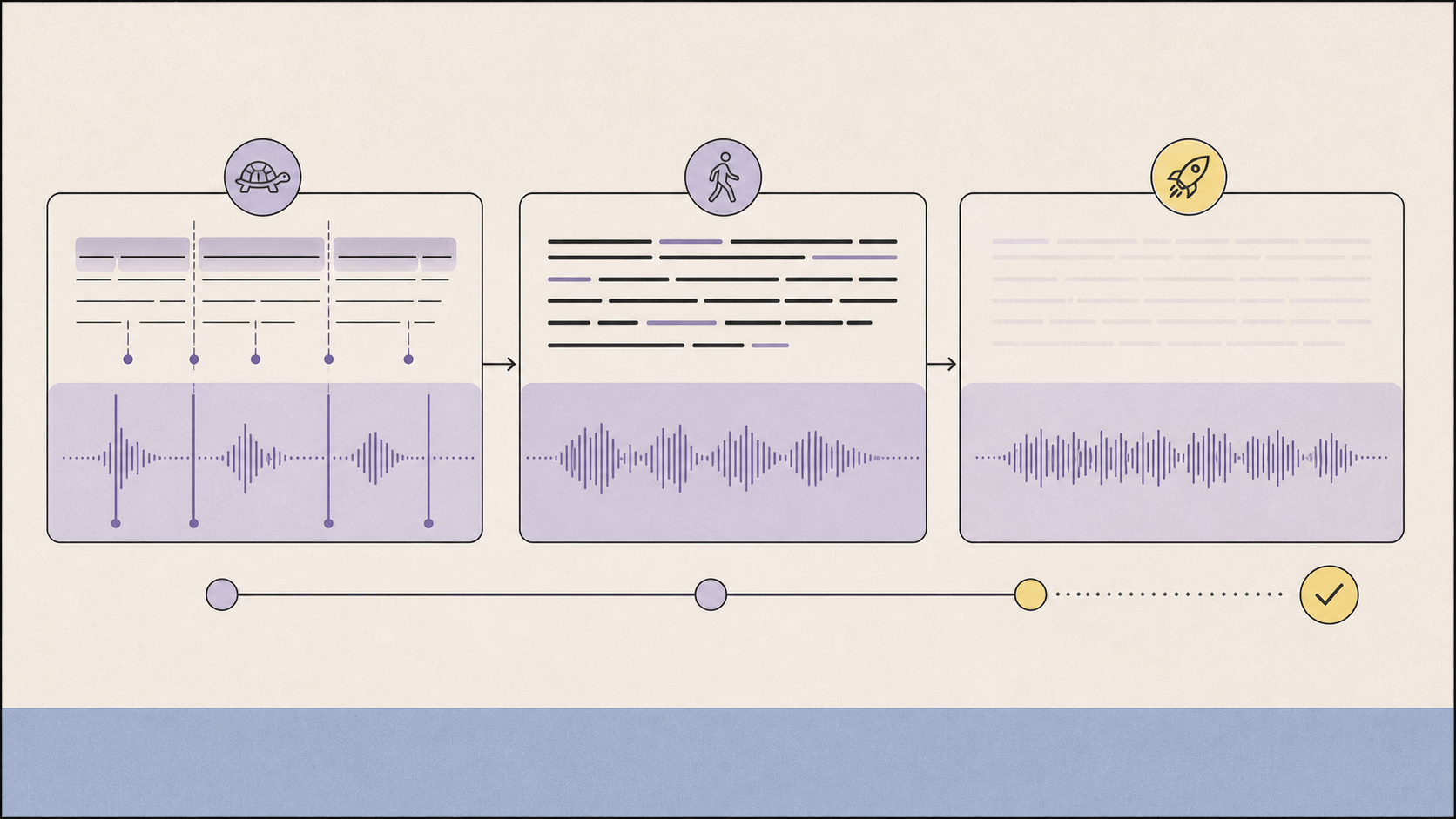
Playback speed is often marketed as a productivity feature. For language learning, speed is better understood as resistance on an exercise machine. Lower it to inspect form, restore it to hear natural rhythm, and raise it slightly to test whether recognition has become automatic.
Choose a passage of roughly 120 to 250 words. It should be challenging but not opaque: you should understand the topic and most of the vocabulary when reading. A paragraph from a news article, a page from a graded novel, or a section of a course PDF works better than an entire chapter for the first session.
Pass One at 0.75×: Separate the Sound Stream
The first pass is not about mastering every word. It is about locating the sentence inside the sound.
Follow the synchronized text while listening at approximately 0.75×. Notice where the narrator pauses, which syllables carry stress, and where two words appear to join. Mark only the places where the audio and your expectation disagree. If you stop for every unknown item, the sentence never has a chance to become a sentence.
At this stage, slower is not automatically better. Extremely stretched audio can distort rhythm and make ordinary speech feel unnatural. Readify offers a broader 0.5×–4× range, but the useful starting point is the smallest reduction that makes word boundaries perceptible. Its guide to adjustable reading speed explains why pace should follow the material and the purpose of the session.
Pass Two at 1.0×: Recover Meaning at Natural Rhythm
Return to normal speed without looking up anything new. This pass answers a simple question: after seeing the structure once, can you now follow the message as it unfolds?
Keep the text visible, but try not to read ahead. Let your eyes confirm what your ears have already identified. If the same phrase disappears again, replay the complete sentence rather than an isolated word. Listening comprehension depends on transitions, stress, and syntax; cutting the audio into fragments can remove the clues you need.
Summarize the passage in one sentence after the audio stops. If you remember vocabulary but cannot state the point, the bottleneck is comprehension rather than pronunciation.
Pass Three at 1.25×: Test Recognition Under Pressure
The final pass is a stress test, not a permanent listening setting. Increase the pace modestly, hide or look away from the text where possible, and listen again.
You are testing whether familiar phrases are being recognized as units instead of decoded word by word. If the main idea remains clear and only a detail is lost, the passage is ready to move into review. If the entire sentence collapses, return to 1.0×. Failure at 1.25× is useful information; it identifies material that is not yet automatic.
This three-speed sequence gives playback controls a learning purpose:
- 0.75× reveals structure.
- 1.0× restores natural rhythm.
- 1.25× tests automatic recognition.
The numbers are starting points, not rules. A beginner may use 0.65×, 0.85×, and 1.0×. An advanced learner might use 0.9×, 1.0×, and 1.4×. What matters is that each speed has a different job.
When One Unfamiliar Term Hijacks the Whole Sentence
Looking up every unknown word creates a vocabulary list but destroys listening continuity. Ignoring every unknown word preserves momentum but can conceal the key concept. The better question is whether the term blocks the sentence’s function.
Pause when an unfamiliar item changes one of these things:
- who performed the action;
- whether the statement is positive, negative, certain, or hypothetical;
- the topic-specific meaning of the sentence;
- the relationship between two clauses;
- the conclusion you would draw from the passage.
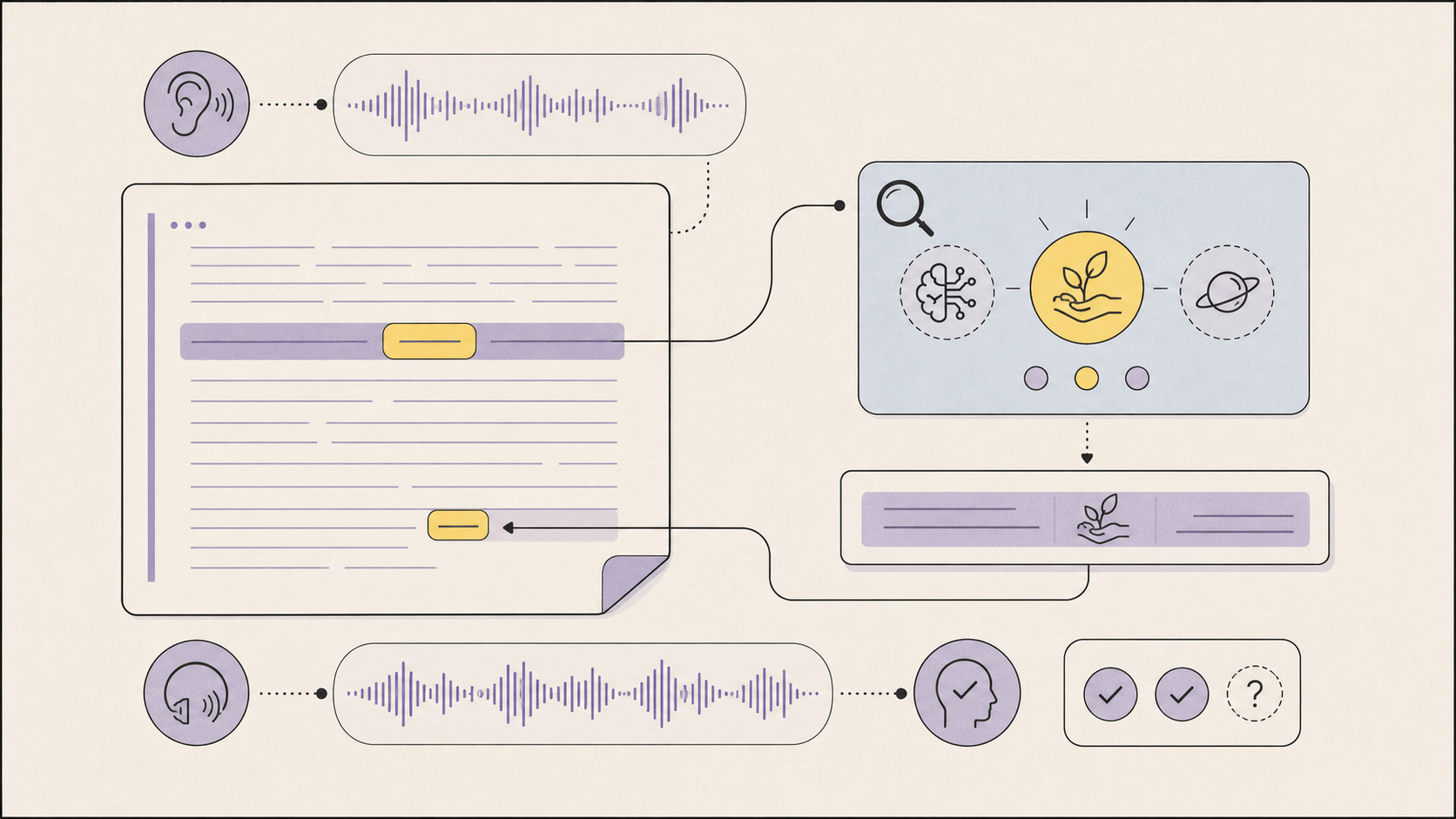
For the planta example, a dictionary entry may list several valid meanings without telling you which one belongs in the article. An AI-supported investigation can be more targeted. Useful questions include:
- “In this sentence, does planta mean a living plant, a floor, or an industrial facility? Explain which nearby words provide the clue.”
- “Why is cerrará in the future tense here? Rewrite the sentence in the present tense.”
- “Explain this sentence at A2-level English without removing the maintenance context.”
- “Give me one new Spanish sentence that uses planta with the same meaning.”
Readify’s Explain Difficult Text feature is designed for this kind of interruption. The learner can request a simpler explanation, compare meanings, and then return to the original passage. Important factual or technical claims should still be verified against a trusted dictionary, textbook, or subject source. AI support is a contextual bridge, not an unquestionable authority.
After the explanation, replay the original sentence at 1.0×. This final step matters. If the learner reads an English explanation and moves on, the new meaning remains detached from the sound that caused the problem. Returning immediately to the audio binds meaning, spelling, and pronunciation to the same context.
A 15-Minute Readify Session With a Spanish Article
The method becomes clearer as a timed routine. Imagine an intermediate learner needs to understand a short Spanish article about manufacturing. No learner-specific recording exists, and several terms have meanings that differ from everyday Spanish.
Minutes 0–2: Import and Preview
Open an authorized webpage or upload the permitted article as a supported document. Read the title and headings. Choose a neutral Spanish voice and check the first two sentences for obvious parsing or pronunciation problems.
This is where spanish text to speech becomes more useful than a demo box. The learner is not pasting disconnected sentences only to hear their pronunciation. The complete article remains available as a continuous reading object with text, audio, position, and replay controls.
Minutes 2–6: Listen at the Decoding Speed
Play the selected passage at 0.75× while following the highlighted text. Mark no more than three points of friction. For example, the learner may miss a contracted sound, misunderstand planta, and lose the clause after aunque.
Minutes 6–9: Investigate Only What Blocks Meaning
Ask contextual questions about those three items. Do not request a full translation of the article. A complete translation may produce an answer, but it removes the retrieval and inference that make the second listening pass useful.
Minutes 9–12: Replay at Natural Speed
Listen at 1.0× and keep the text visible. The target is no longer “hear every syllable.” It is “follow the claim without translating each word into English.” Replay one sentence if needed, then continue.
Minutes 12–15: Test and Record the Result
Listen once at 1.25× without relying on the text. State the main point aloud or write it in one sentence. Save the passage for another session only if the normal-speed version still breaks down.
Search phrases such as spanish tts or text to speech spanish often lead to tools that pronounce entered text. Pronunciation is helpful, but the learning advantage comes from the complete loop: a real passage, adjustable difficulty, contextual investigation, and immediate replay.
Different Languages Need Different Listening Decisions
The method remains stable, but the reason for slowing down changes across different languages.
- Spanish: use the slow pass to locate boundaries in connected speech, then return quickly to natural speed so the language does not remain artificially segmented.
- French: keep synchronized text visible when silent letters, liaison, or reductions make a familiar written phrase hard to identify; later test it without text.
- German: isolate a paragraph when long compounds or subordinate clauses overload working memory. Ask for the internal structure, then replay the complete sentence.
- Japanese: investigate an unfamiliar reading or sentence-final form, then replay enough surrounding audio to hear how it changes the sentence.
- English: slow down to reveal reduced function words, then raise the speed to test whether stressed content words now provide enough structure for comprehension.
This is why a universal list of easy to learn languages cannot prescribe one ideal speed. The listening control stays the same, but the learner uses it to expose a different acoustic or grammatical problem.
Best Free Language Learning Apps: Choose the Missing Function
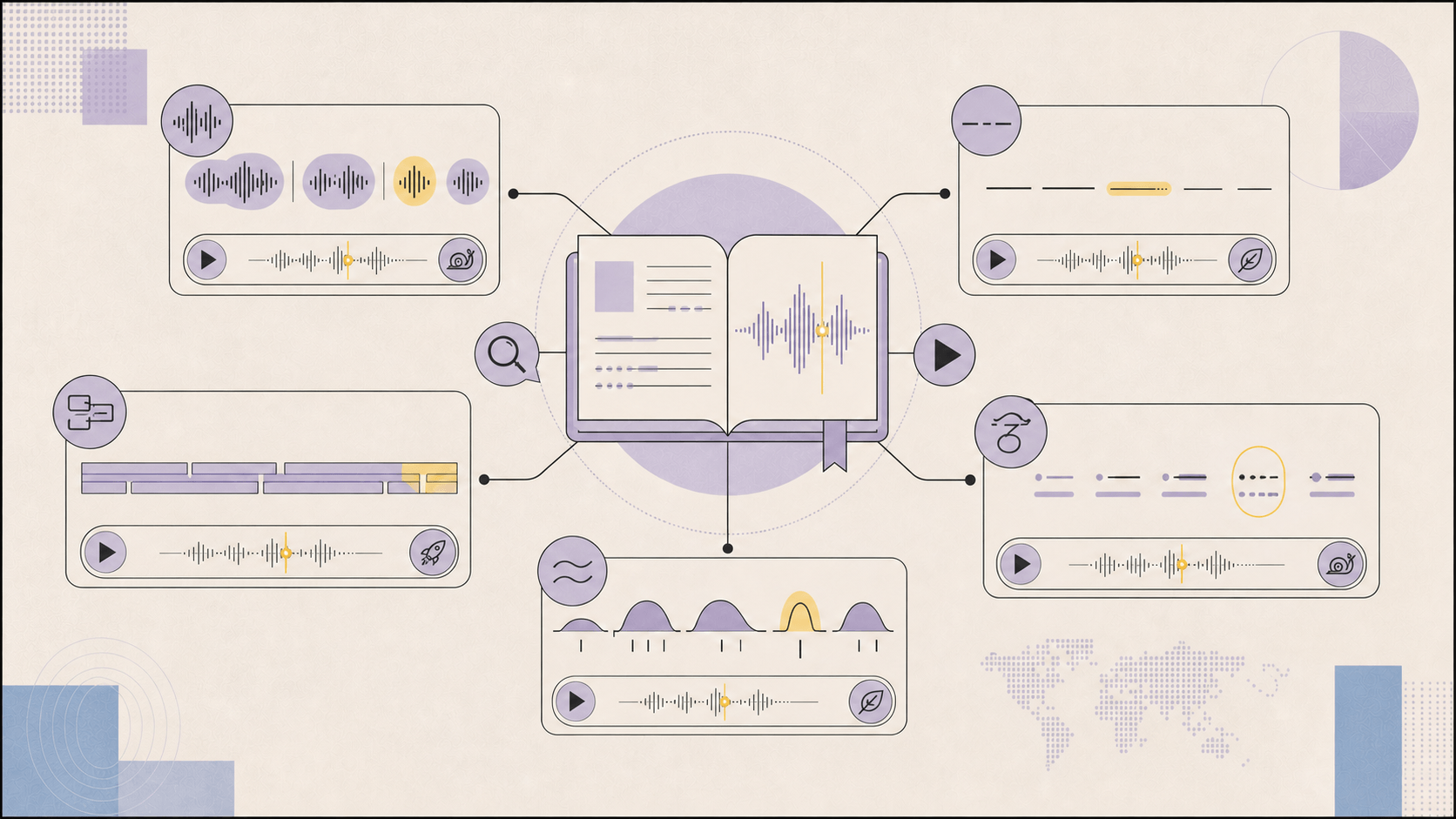
People comparing the best free language learning apps often ask which app is best overall. A more useful question is: what is missing from the practice you already do?
If the missing function is precise video replay and bilingual subtitles, Language Reactor adds language-learning controls to Netflix and YouTube and supports speed control, subtitle navigation, and contextual dictionary tools. It is a strong fit when video is the source material.
If the goal is an immersion library with saved vocabulary and spaced review, LingQ combines reading and listening, permits learners to import sources, and turns unknown words into items for later review. It is more explicitly organized around vocabulary accumulation and repeated exposure.
If instant translation and flashcards are the priority, Readlang provides click-to-translate reading, context-aware explanations, vocabulary management, and spaced-repetition practice. It is useful when translation and word review are the central workflow.
If one word’s real-world pronunciation is the problem, YouGlish retrieves examples from real clips and supports searches by language, context, and grammatical category. It is a focused way to compare how speakers use a word across multiple situations.
Readify addresses a different gap. It is most useful when the learner already has meaningful material—a class PDF, an ebook, a work document, or an article—but lacks adjustable audio and fast contextual help. The document enters a continuing library, the neural voice reads it, the learner changes speed without rebuilding the session, and AI support can explain a difficult passage before audio resumes.
That connected workflow is Readify’s concrete advantage. It does not replace a structured course, live conversation, teacher feedback, or a dedicated spaced-repetition system. It reduces the friction involved in turning the learner’s own reading into active listening practice. For users comparing the best free language learning apps, Readify is therefore a strong companion rather than a claim that one app should perform every part of language acquisition.
Measure progress with a new passage on a similar topic after one or two weeks. Success means that you identify word boundaries at normal speed, state the main point before translating every unknown word, and need the slow pass for fewer sentences. That shrinking need for assistance is more meaningful than reaching an impressive playback number.
What Neural TTS and AI Explanations Cannot Replace
Neural TTS creates consistent audio from written material, but it is not a complete model of human speech. It may miss regional pronunciation, emotional nuance, conversational overlap, or the way a real speaker repairs a sentence mid-thought. Learners still need native or proficient speakers, interviews, films, podcasts, and live conversation.
AI explanations also require judgment. A fluent answer may be incomplete or wrong, especially with slang, specialized terminology, or a sentence whose wider context is missing. Check high-stakes meanings against reliable dictionaries and subject references. If pronunciation is the question, compare multiple real speakers rather than assuming one synthetic voice represents an entire language.
The narrow promise is more credible: Readify can make written material easier to begin, adjust, investigate, and hear again. Used deliberately, those actions turn a passive document into a repeatable listening workout.
Conclusion: Do Not Search Only for an Easy Language—Make the Next Passage Adjustable
The search for easy to learn languages usually begins with a reasonable hope: choose a language with fewer obstacles and progress faster. But the decisive moment comes later, when understandable text becomes difficult speech.
Readify’s neural TTS, adjustable playback, synchronized text, and AI-supported explanations create a practical response to that moment. Slow the first pass enough to expose structure. Return to natural speed to recover meaning. Increase the pace slightly to test recognition. When one term blocks the sentence, investigate it in context and immediately listen again.
The method works across different languages because it does not assume that every learner has the same problem. It lets the learner change the difficulty of the same meaningful passage without abandoning the source.
Choose 150 words from a document you genuinely want to understand and try the three-speed session in Readify. The goal is not to finish more audio. It is to need a little less help each time the language returns to natural speed.
Frequently Asked Questions
What are the easiest languages to learn?
There is no universal answer. Easy to learn languages are usually those that share vocabulary, writing systems, sounds, or grammar with languages you already know. Your goal also matters: basic travel conversation and professional reading require different skills.
Can neural TTS help me learn a language?
Yes, as a supplement. Neural TTS can add consistent audio to permitted written material, allowing you to connect spelling with pronunciation, adjust playback speed, and replay sentences. It should be combined with real human speech, conversation, and reliable reference sources.
What is the best playback speed for language learning?
Use the fastest speed that preserves the purpose of the pass. A practical sequence is approximately 0.75× to inspect word boundaries, 1.0× to understand natural rhythm, and 1.25× to test recognition. Beginners can reduce all three settings; advanced learners can increase them.
Is Spanish text to speech useful for learners?
Spanish text to speech is useful when a written article, PDF, or story has no recording. It lets learners hear verb forms, phrasing, and sentence rhythm while keeping the original text visible. Check unusual names, regional terms, and pronunciation against human examples when accuracy matters.
What should I look for in the best free language learning apps?
Look for the function your current routine lacks: structured lessons, speaking feedback, real-world video, vocabulary review, contextual translation, or adjustable audio for your own material. The best free language learning apps are often complementary rather than interchangeable.
Can Readify explain every unfamiliar term correctly?
No AI tool should be treated as infallible. Use Readify’s explanation and Q&A features to clarify context and generate simpler examples, then verify specialized, ambiguous, or high-stakes information with a trusted dictionary, teacher, or subject source.
